
User Permissions: Setting Analysts and Viewers
User Permissions: Analysts and Viewers
Grant select visibility and permissions to teammates and external collaborators
This guide will walk you through the process of granting Analyst and Viewer permissions in Altana, which can be assigned to internal team members or external collaborators such as customers, consultants, and auditors, providing them with appropriate access levels to the platform's features."
Not sure what level of permissions to grant to a User? Click here for guidance.
Step 1: Start by clicking Settings from the sidebar and then clicking the Roles and Access tab.
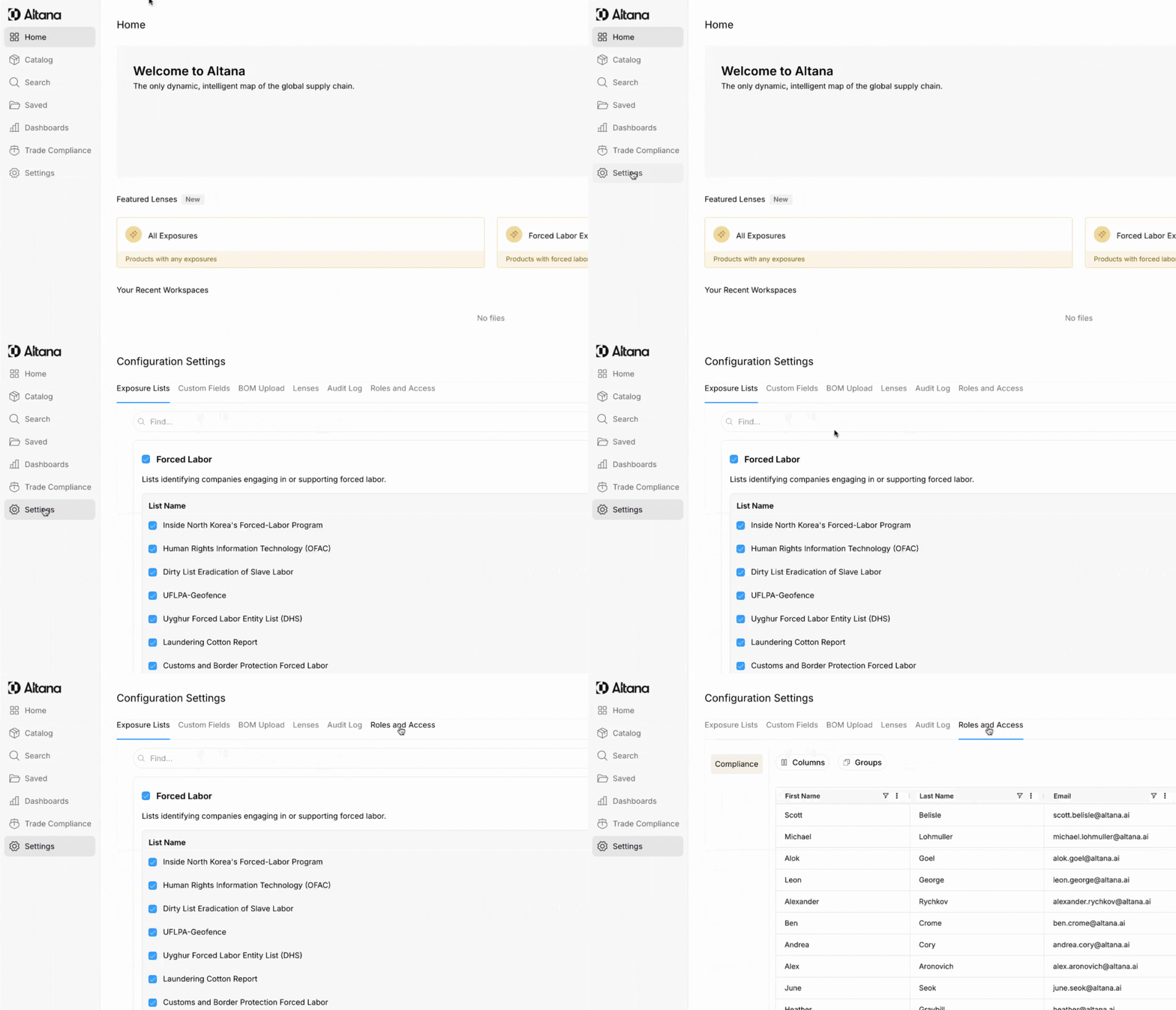
Step 2: Click on the User whose permissions you would like to edit.
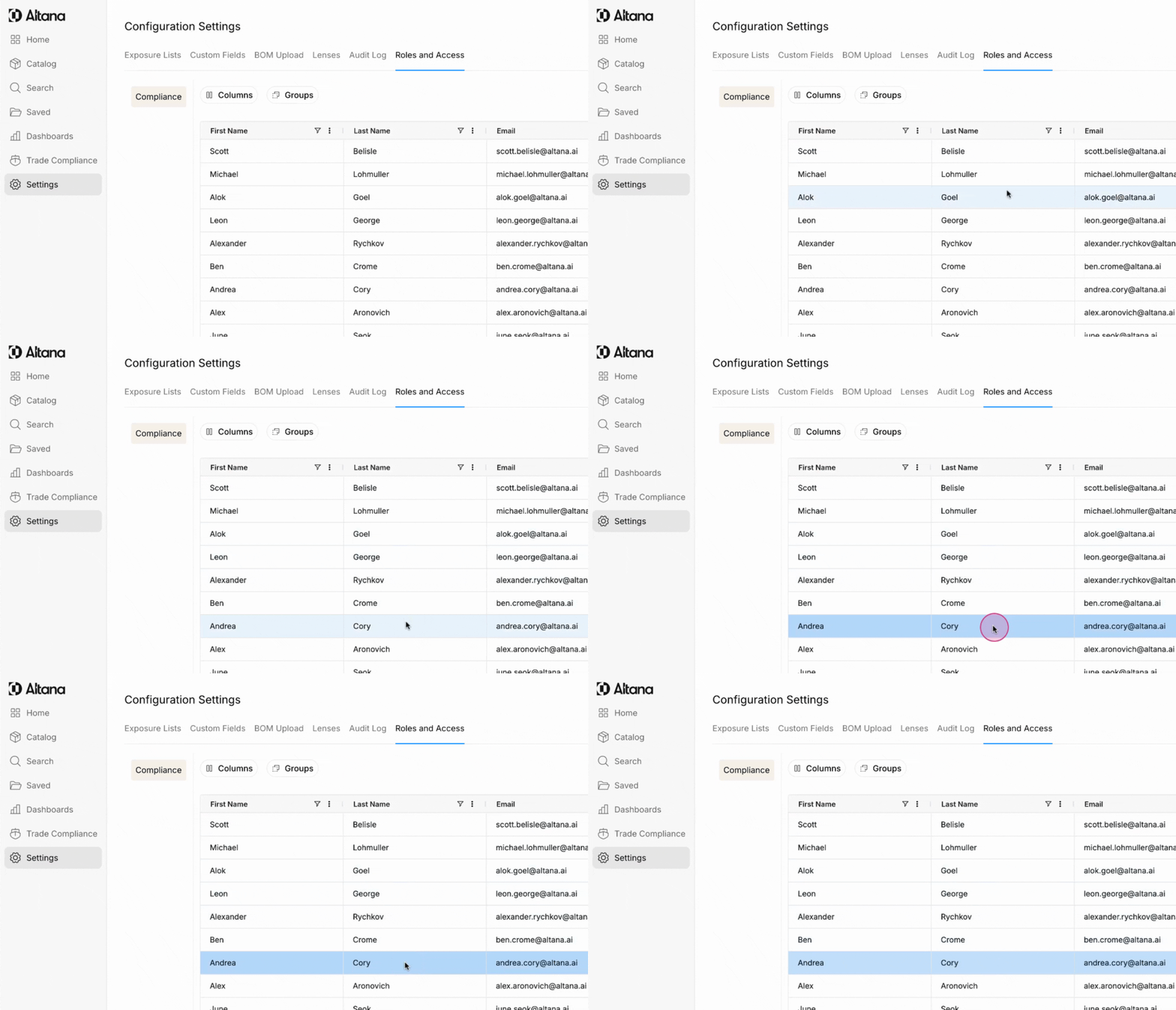
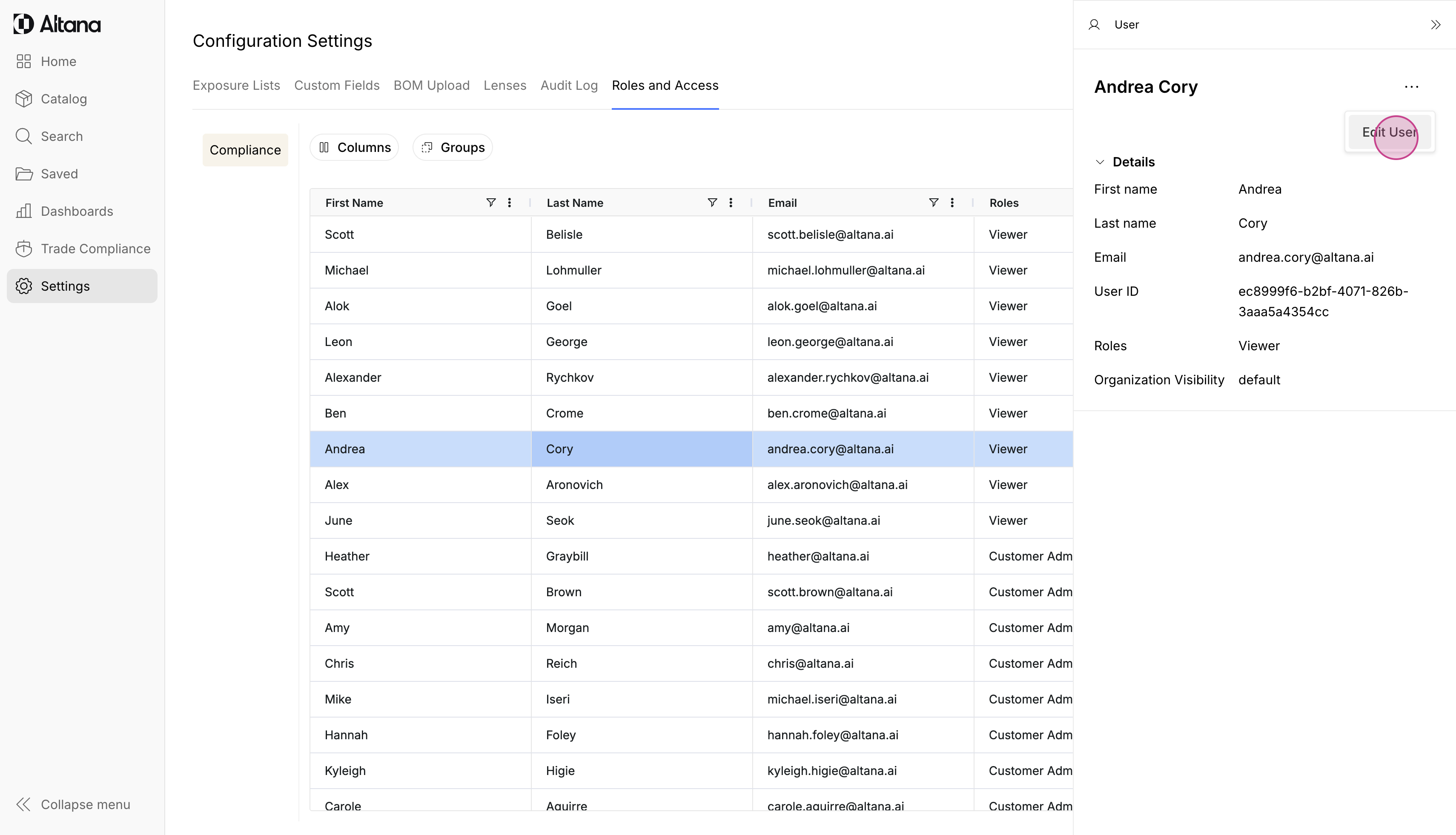
Step 3: Click Edit User.
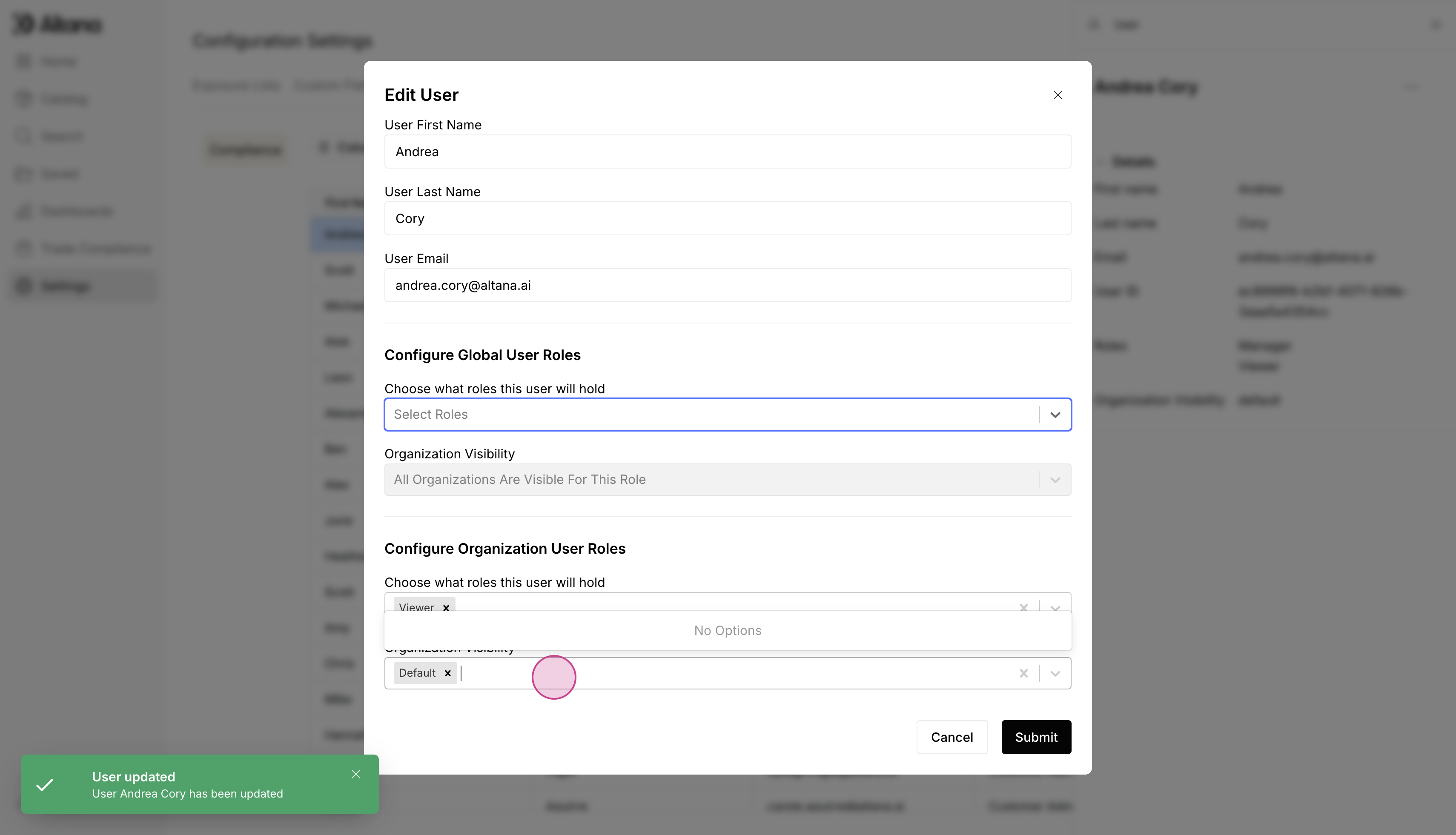
Step 4: From the dropdown, select Analyst or Viewer.
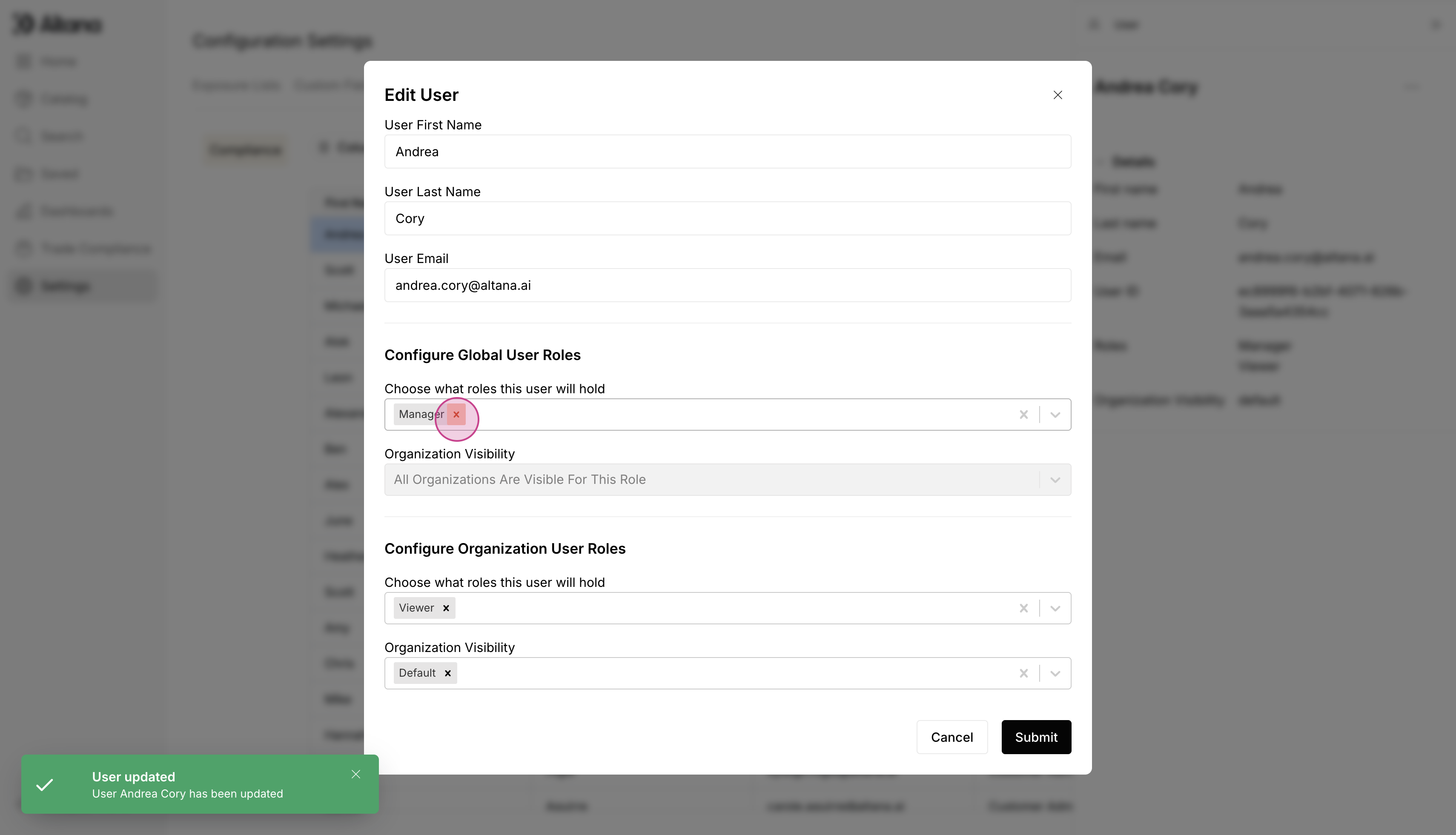
Step 10: Click on the empty field.
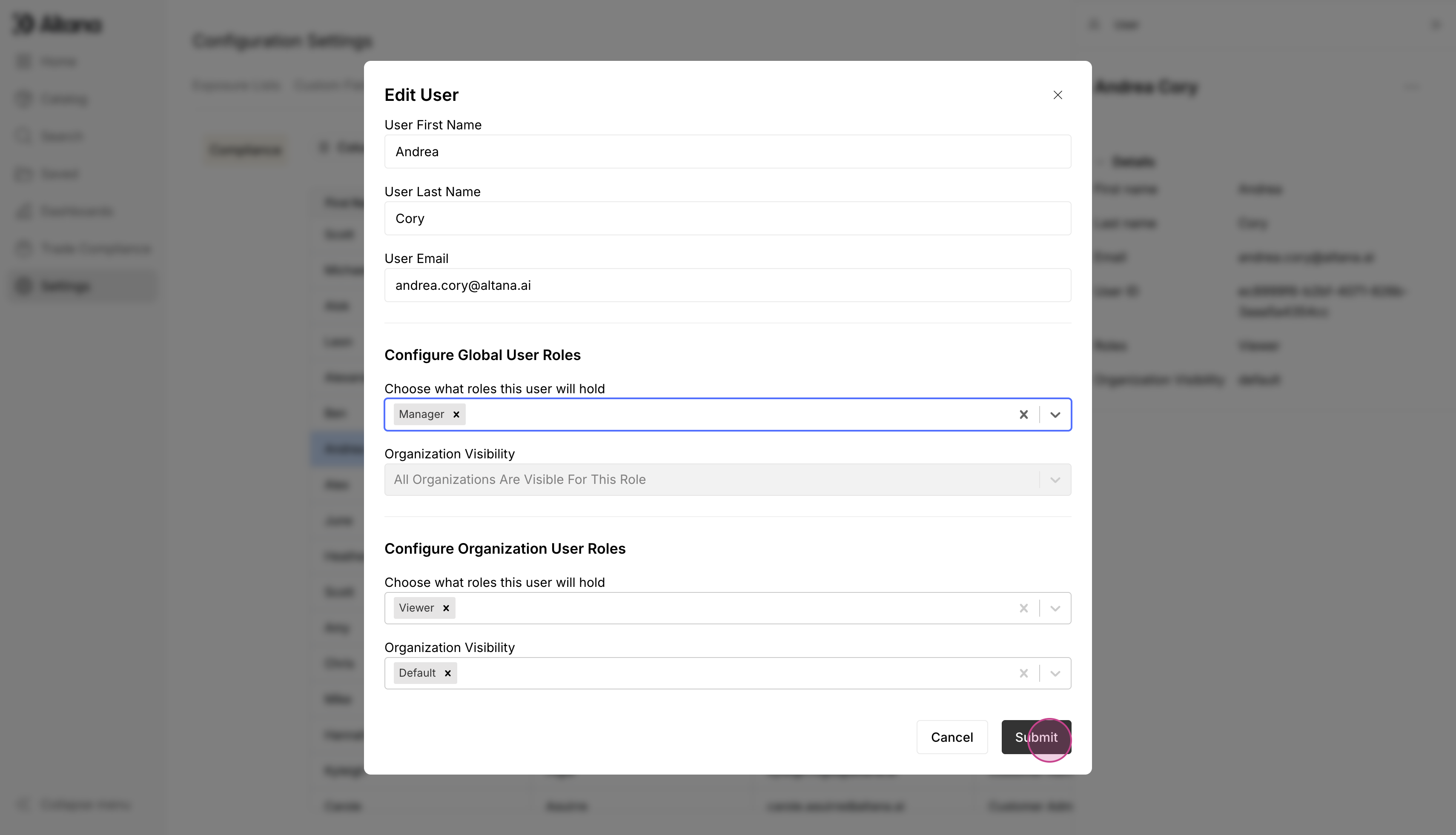
Step 5: After making the necessary changes, click Submit.
a