User Permissions: Setting Admins and Managers
User Permissions: Admin and Manager Access
The highest level of visibility available to Users
This guide will walk you through the process of granting administrator-level and manager-level permissions to users in Altana, providing them with the highest level of access to the platform's features and capabilities.
Not sure what level of permissions to grant to a User? Click here for guidance.
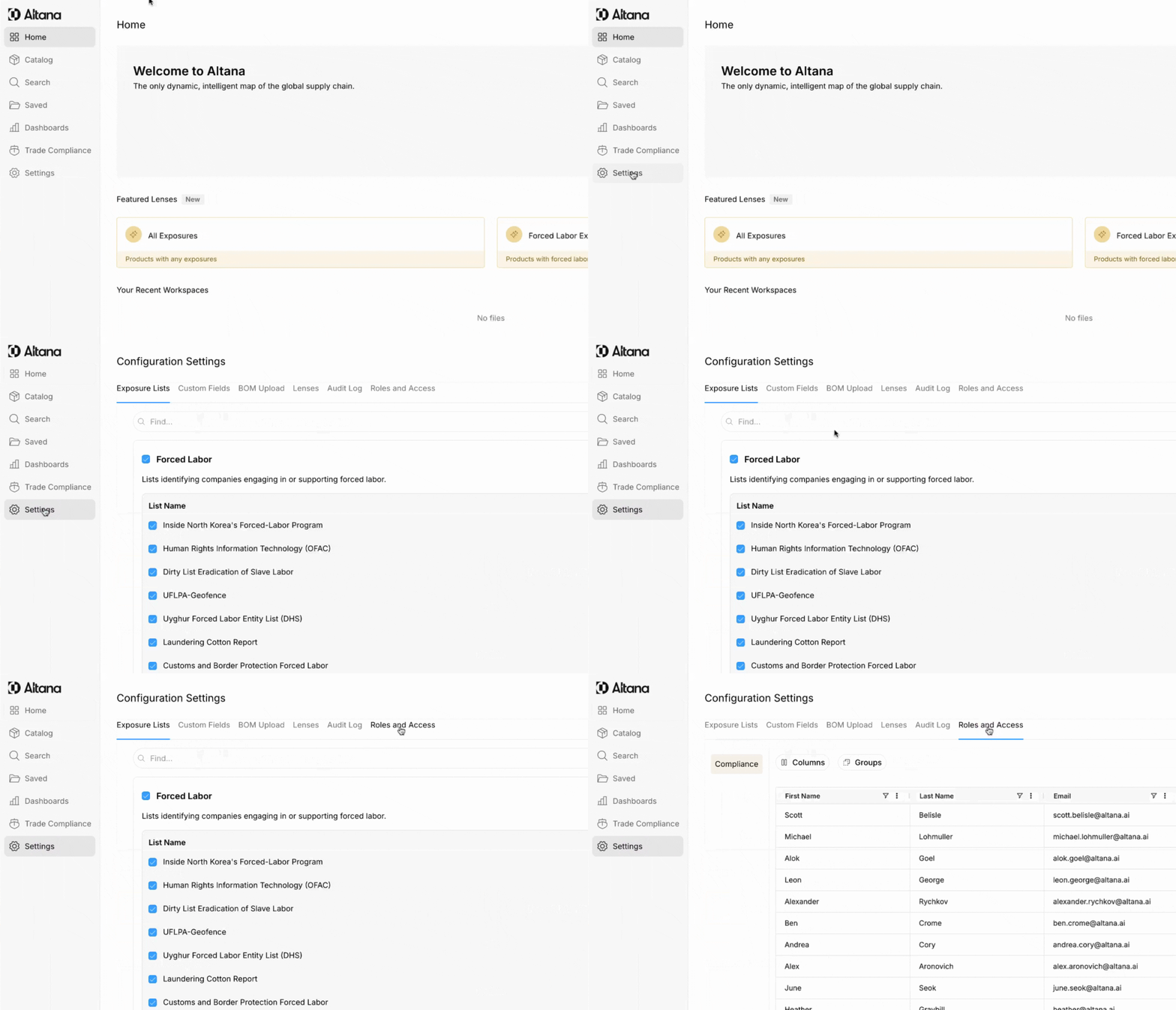
Step 1: Start by clicking Settings from the sidebar and then clicking the Roles and Access tab.
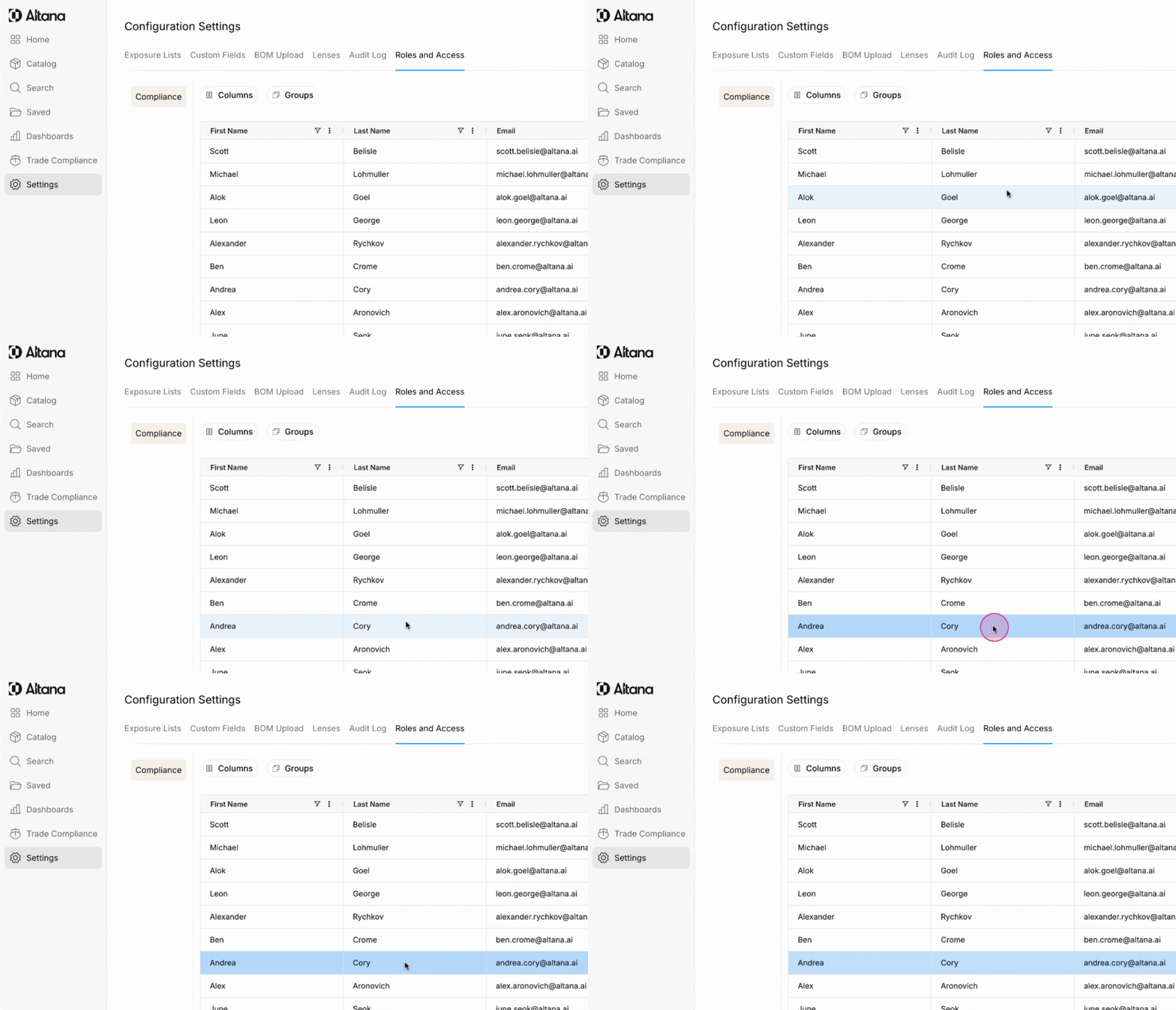
Step 2: Click on the User whose permissions you would like to edit.
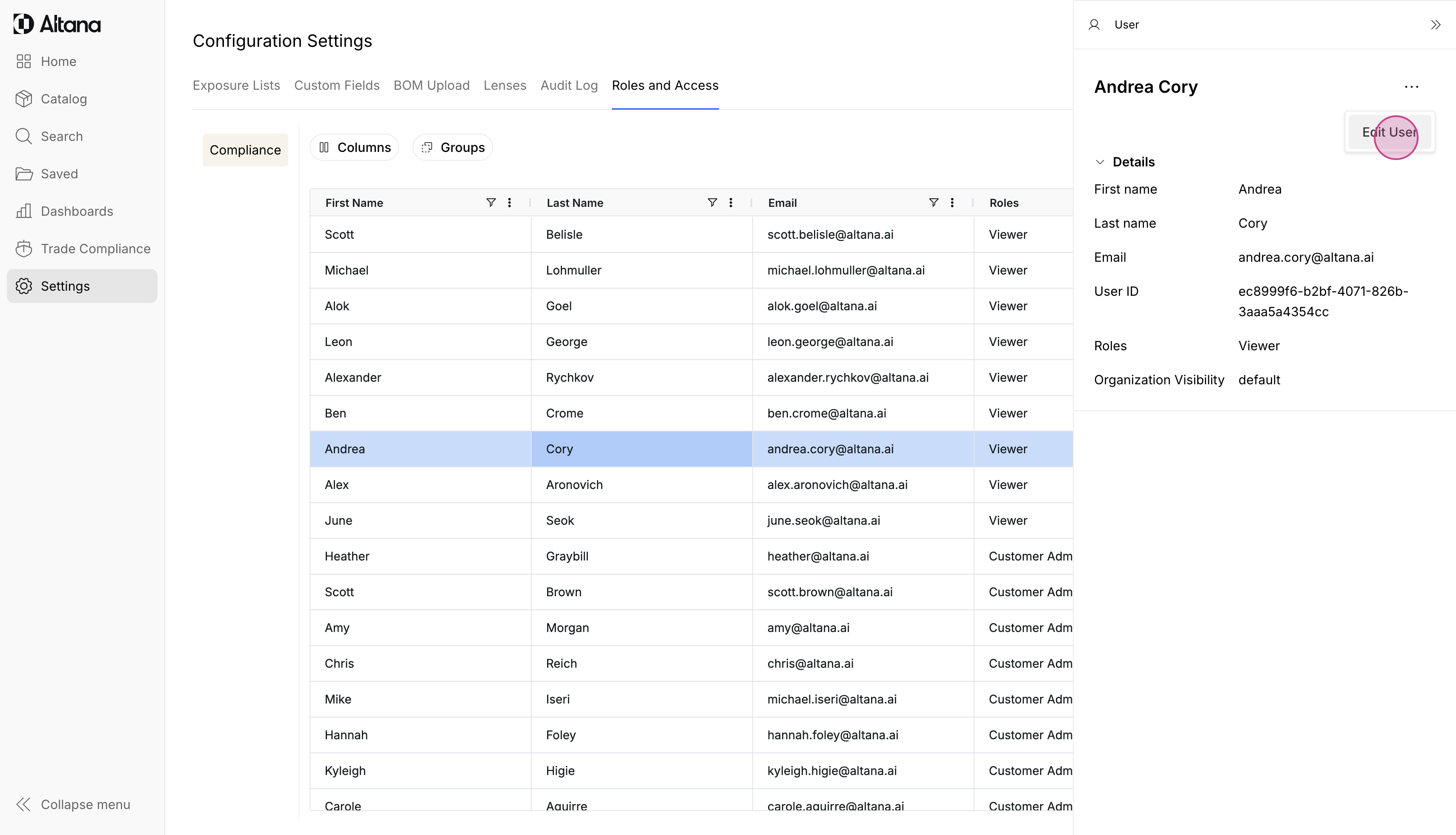
Step 3: Click Edit User.
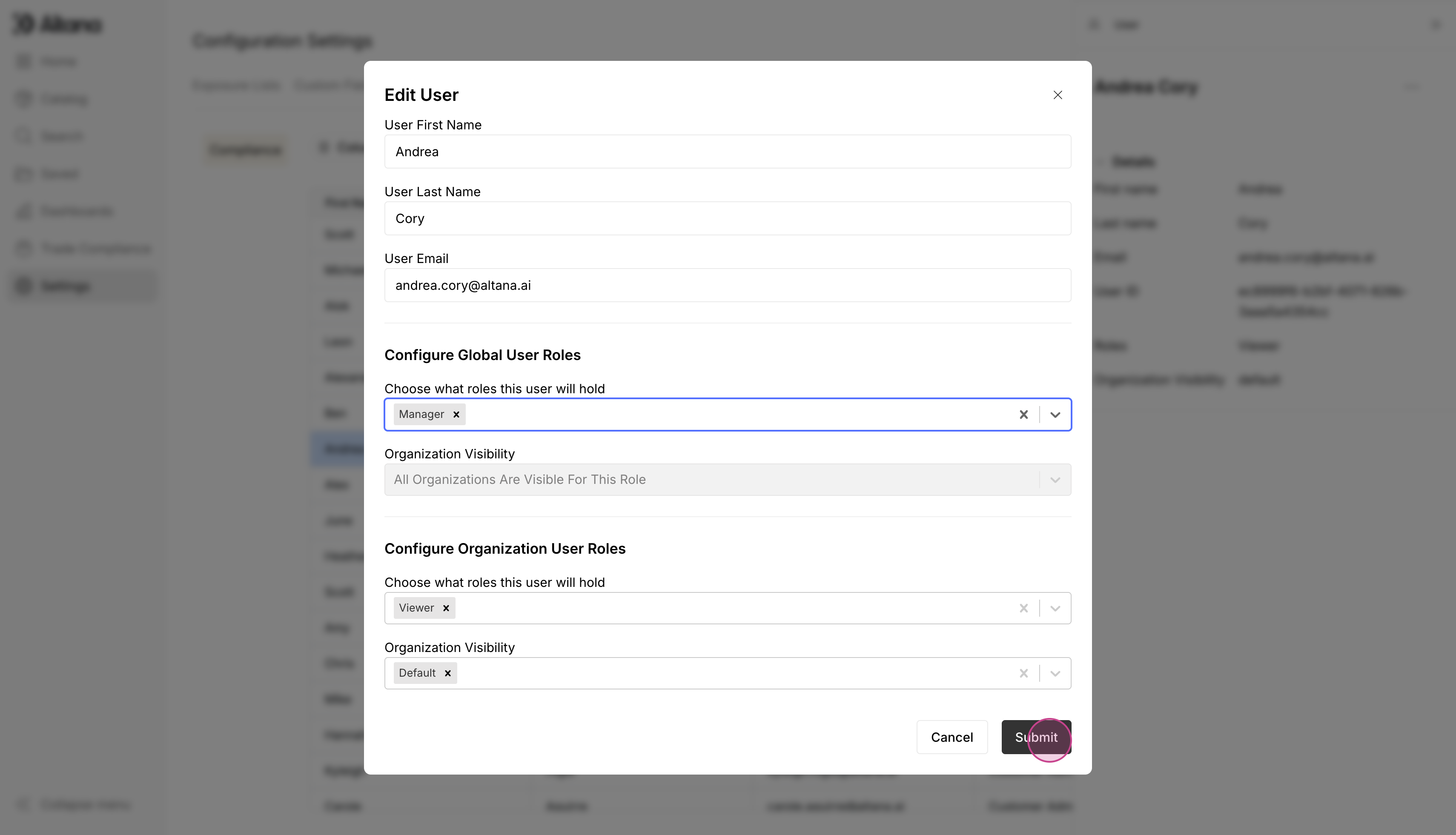
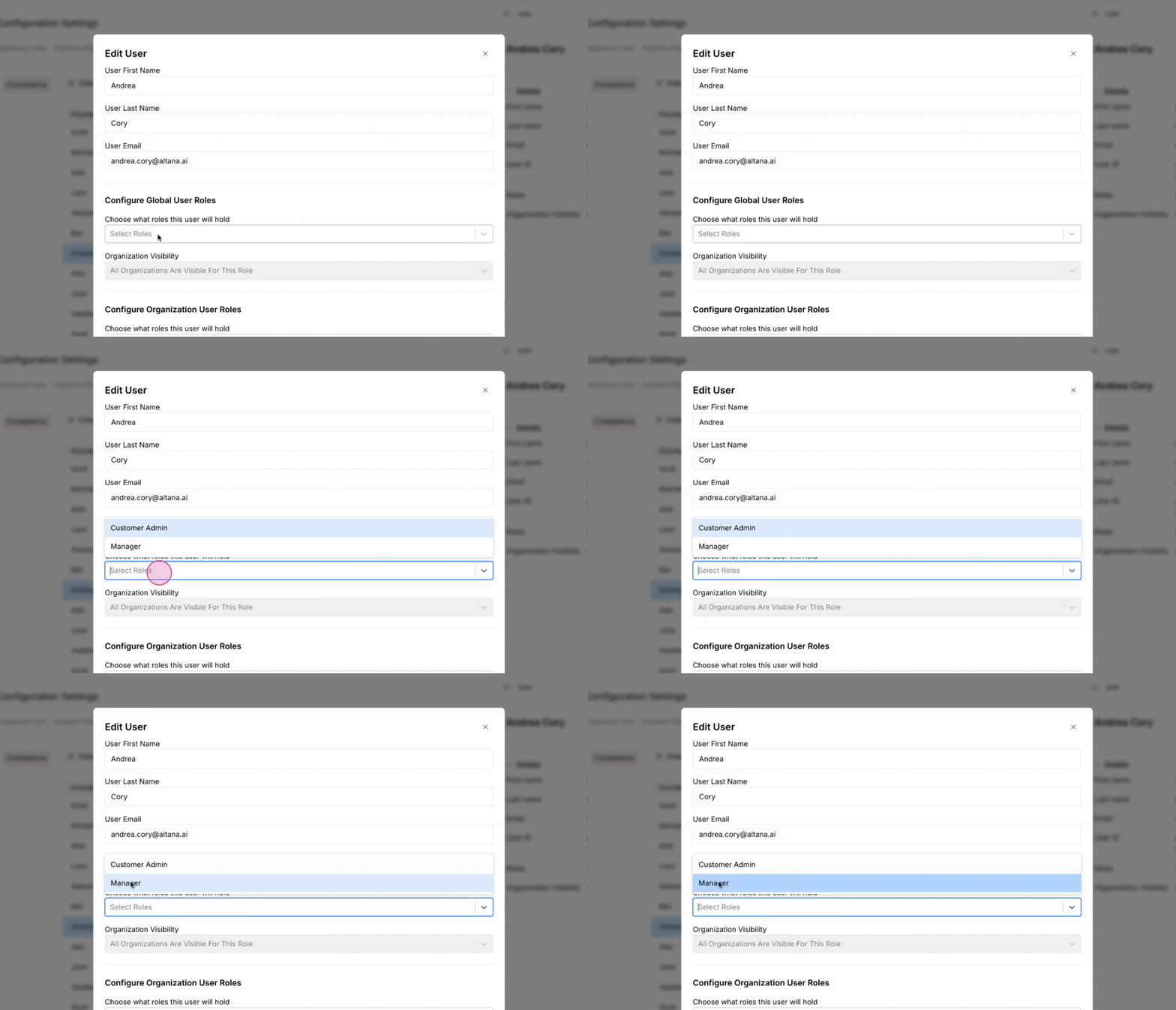
Step 4: From the dropdown, select Admin or Manager.
Step 5: After making the necessary changes, click Submit.