
API Documentation
Availability: these features depend on your plan and user role. Contact your Altana account team if they're not visible in your environment.
Altana's API lets you work with your environment programmatically — querying data, submitting work, and connecting Altana to your own systems. The reference and the credentials you need are served directly from your Altana environment, so they always reflect what your environment actually exposes.
Where to find it
Log in to your Altana environment and open the API documentation at the /api/nexus/api-docs/ route — for example, https://network.altana.ai/api/nexus/api-docs/ (or your environment's equivalent domain). This is where you read the current API reference, create and manage API keys, and set up service accounts.
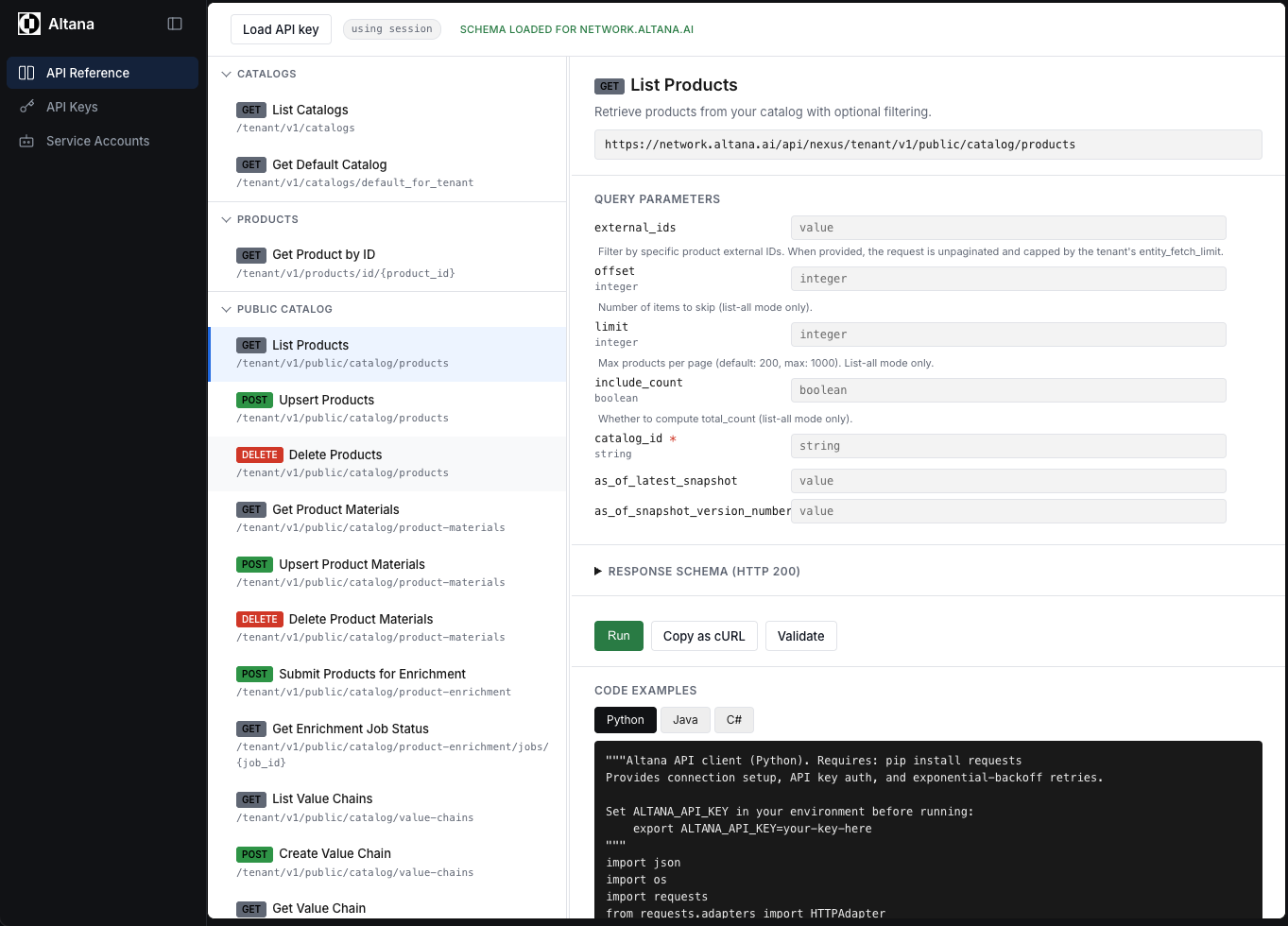
The page has three sections: API Reference, API Keys, and Service Accounts.
API Reference
The API Reference lists the endpoints available to you, with their request and response formats. Because it is generated from the API itself, it always matches the version running in your environment — so it is the authoritative place to check what an endpoint accepts and returns.
Use it to browse available endpoints, review the required and optional fields for each request, and understand the shape of the responses before you build against them. Open the /api/nexus/api-docs/ route in your environment to read the current reference.
API Keys
API keys authenticate your programmatic requests to the Altana API. Each key is scoped to your environment and tied to a service account. By default a key carries all of that service account's roles, but when you create a key you can narrow it to a subset of those roles, so the access a key grants never exceeds the service account it belongs to.
Use the API Keys section to create a key, choose the roles it should carry, and copy it when it is first issued. Keys are issued with an expiration; as a key approaches expiry, email reminders go out so you can rotate it before it lapses. By default these reminders go to the person who created the key, but you can instead direct them to an alternative email address or to a list of up to 10 addresses — useful for routing notices to a shared team inbox or on-call rotation rather than a single person. Rotate or revoke keys from the same section whenever they are no longer needed. Create and manage your keys from the API Keys section at the /api/nexus/api-docs/ route. Create the service account you want a key to act as first — see below.
Service Accounts
Service accounts are non-human identities for integrations and automation. Rather than tying an integration to an individual person's login, you create a service account to represent the integration, then issue API keys against it. Requests made with those keys inherit the service account's access.
Use the Service Accounts section to create a service account for each integration, then attach one or more API keys to it. Administrators in your environment can create service accounts and issue keys against them for their own tenant, without help from Altana. Managing service accounts separately from individual users keeps automated access auditable and easy to revoke. Set up your service accounts from the /api/nexus/api-docs/ route in your environment.
Related
- Integrations — configure webhooks and SFTP connections from the Integrations admin page.
- API Documentation changelog — what has changed in the API.