
Sharing an Exploration
Once you have built an exploration you want to hand off, you can share it with a colleague so they open the same network, filters, and layout you were working with. Sharing becomes available after you save the exploration.
Save the exploration first
Sharing is only available once an exploration has been saved — a draft exploration cannot be shared. To save your work, open the File menu and choose Save, then give the exploration a name.
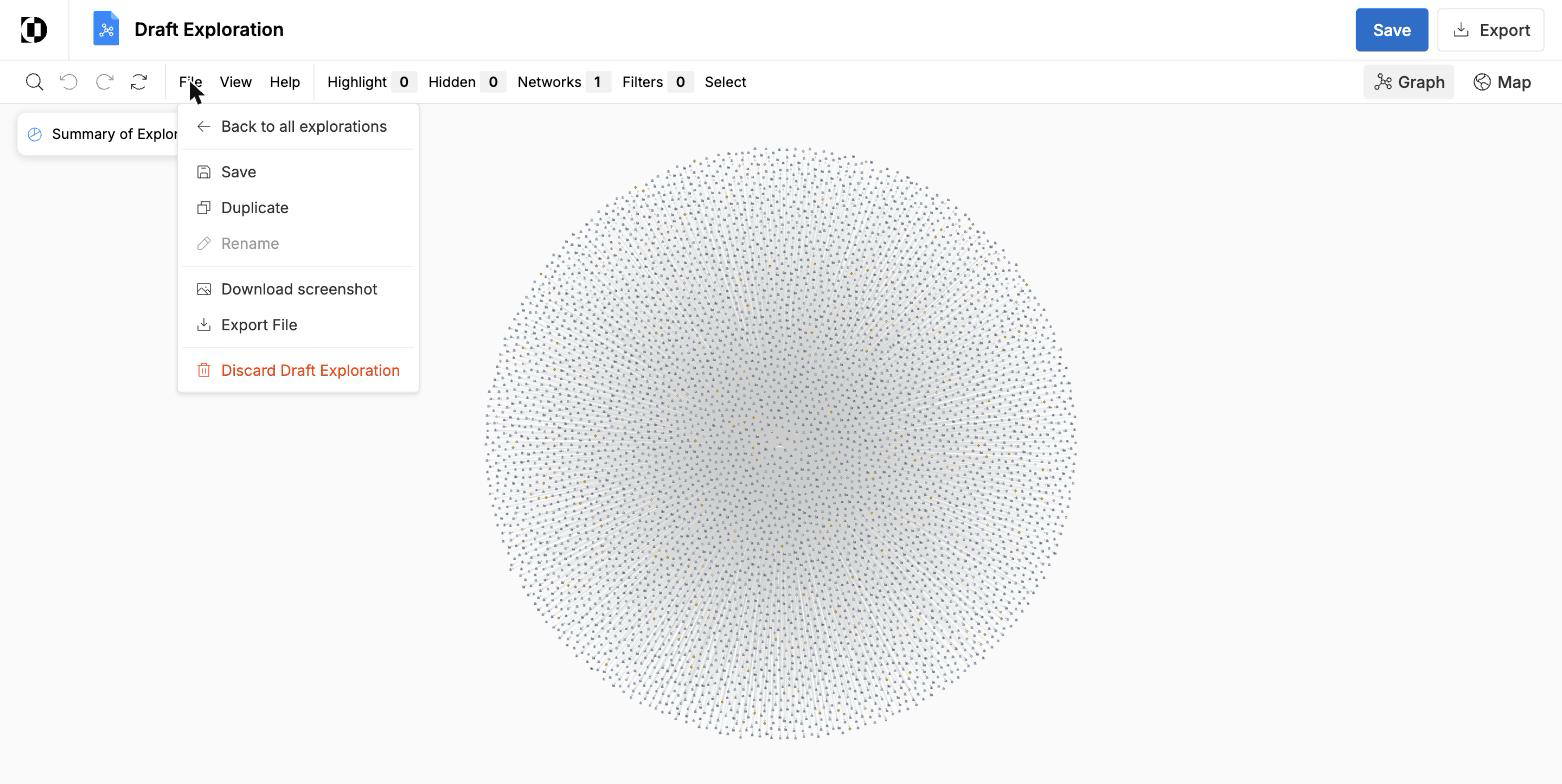
Saving an exploration also enables Rename, which stays disabled while the exploration is still a draft.
Share from a saved exploration
After you save, the exploration is shareable in two places:
- From the open exploration — use the share control on the saved exploration to send it to a colleague.
- From the Saved tab — your saved exploration appears in the Saved tab, and you can share it from there as well.