
Smart Grouping
Smart Grouping
Streamline unwieldy projects in seconds
Accelerate your classification workflow with smart grouping that automatically sorts similar products by predicted HS chapter, subheading, and HS10. With a clear path through your projects, and the ability to efficiently bulk process your decisions, you’re able to classify more items in less time.
Step 1: Navigate to the Classification tab and select Needs Review.
Have questions about our classification statuses? Learn more here.
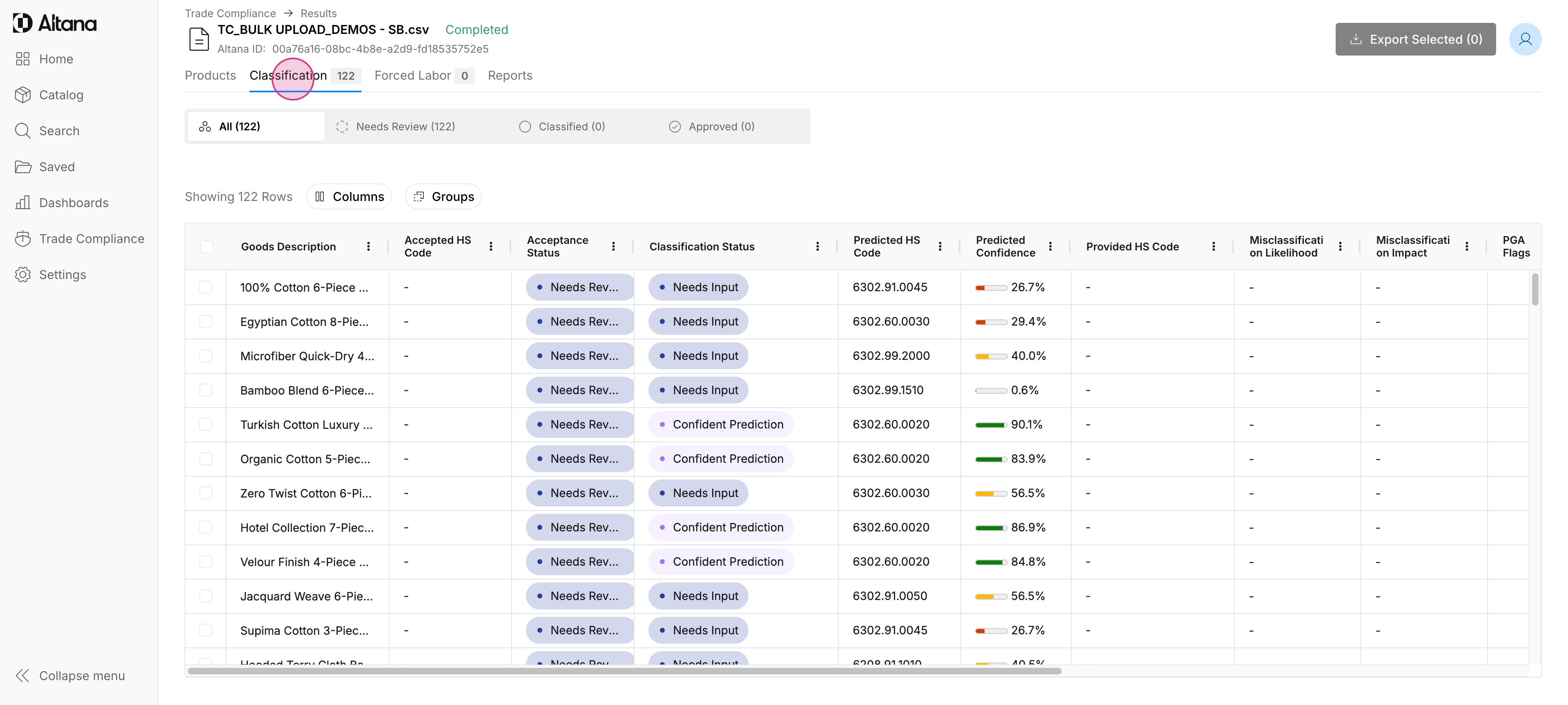
Step 2: Once you're in the Needs Review tab, you'll find that your products have been automatically sorted with Altana's Smart Grouping feature. Your products are arranged according to our top predicted HS chapter, subheading, and HS10 for easy review.
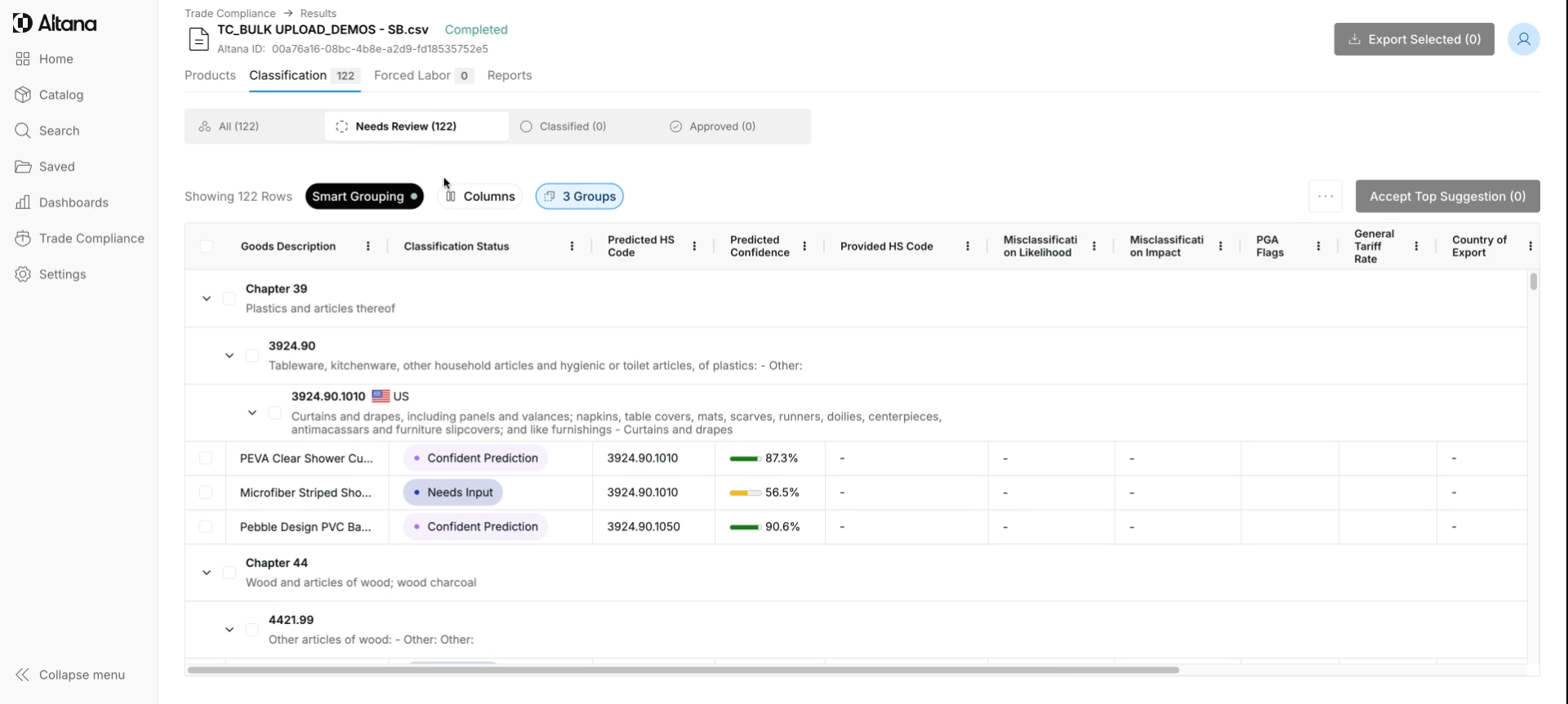
Step 3: With similar items now grouped together, you can easily select multiple products at once to classify them — drastically cutting down the time it takes to work through projects or audits.
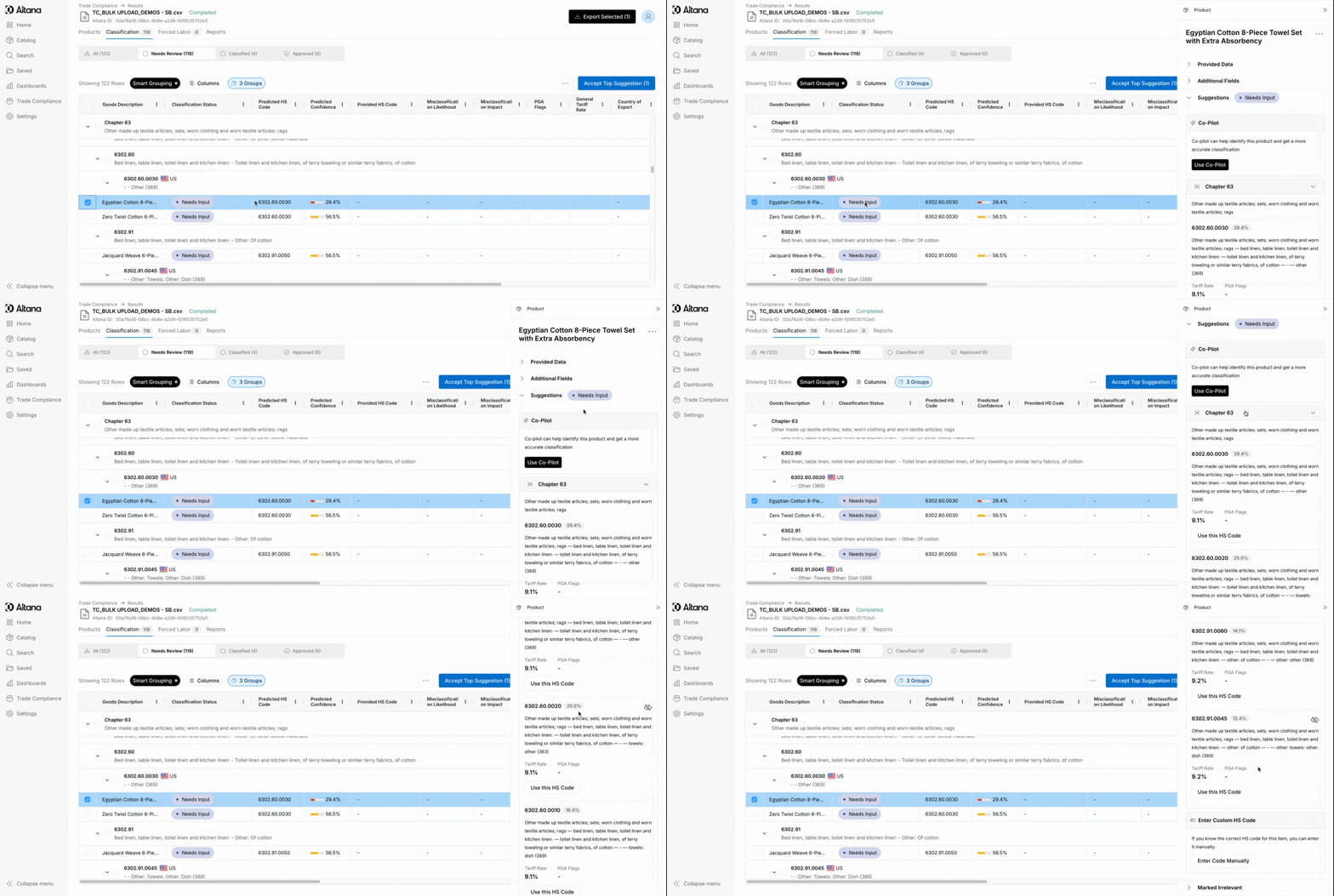
Step 4: See a product that requires more research? Or whose predicted classification doesn't seem quite right? Select an individual product to utilize Altana's Classification Co-Pilot, view its other predicted HS codes, or manually classify it.
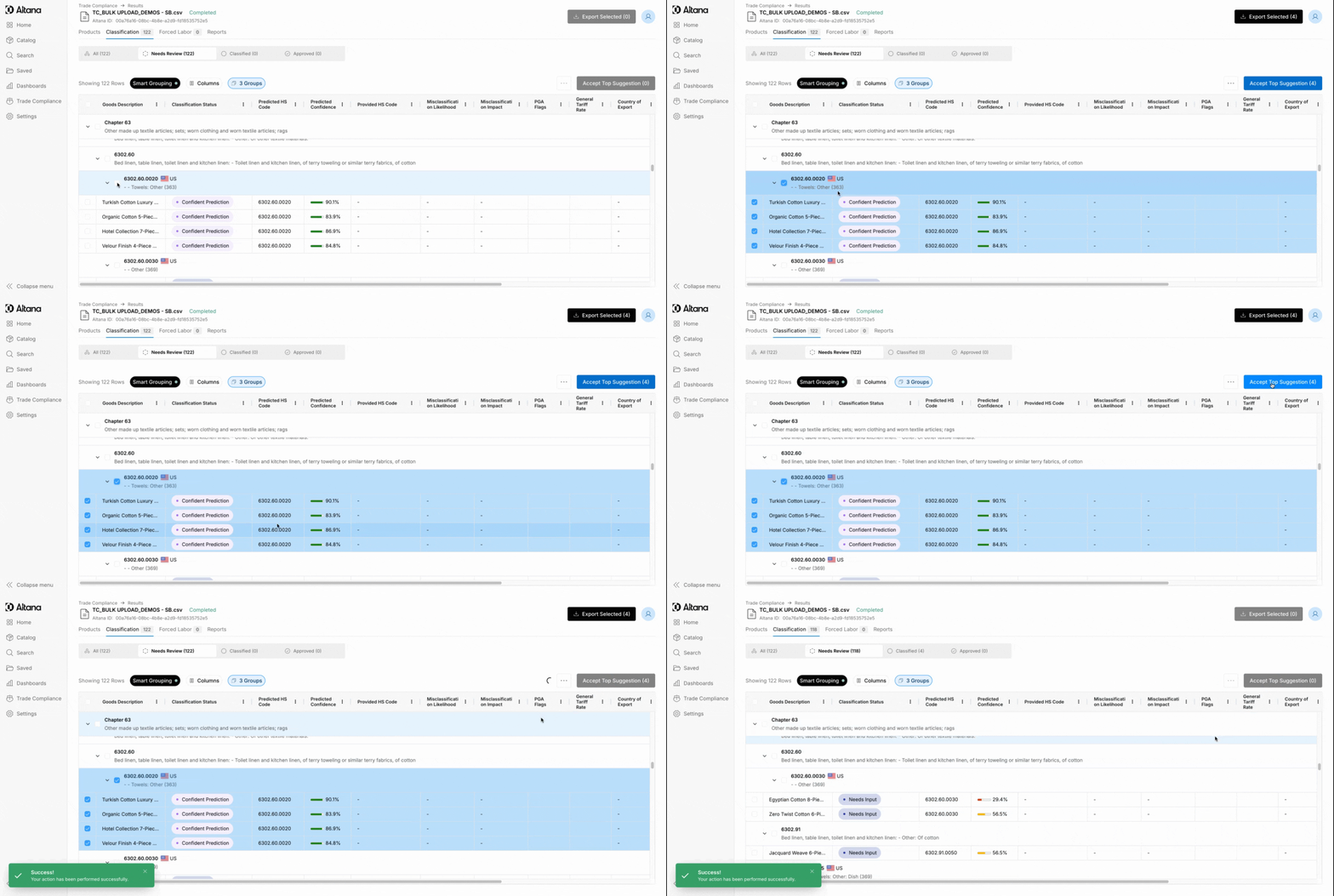
Step 5: Classify each Smart Group to complete your projects faster than ever. As you accept classifications, products will move to the Classified tab, where Smart Grouping sorts products by accepted HS code.
Step 6: While Smart Grouping is turned on by default, you can easily toggle it off if you would prefer to manually review products on a row-by-row basis.
Enhance your classification workflow with smart groups that automatically categorize similar products by predicted HS chapter, subheading, and HS10. With a streamlined approach to your projects and the capability to efficiently process decisions in bulk, you can tackle demanding workloads in less time than ever.