Reports & Exports
Draft: line multi-select, report generation, and CSV subset export are still being finalized. This page will be expanded once the workflow is confirmed.
Select one or more lines on an entry to generate a report or export a CSV subset — for example, sending lines with vague goods descriptions back to a customer in spreadsheet form.
Reports generated as part of your existing workflow (API-driven, per-entry) are unchanged.
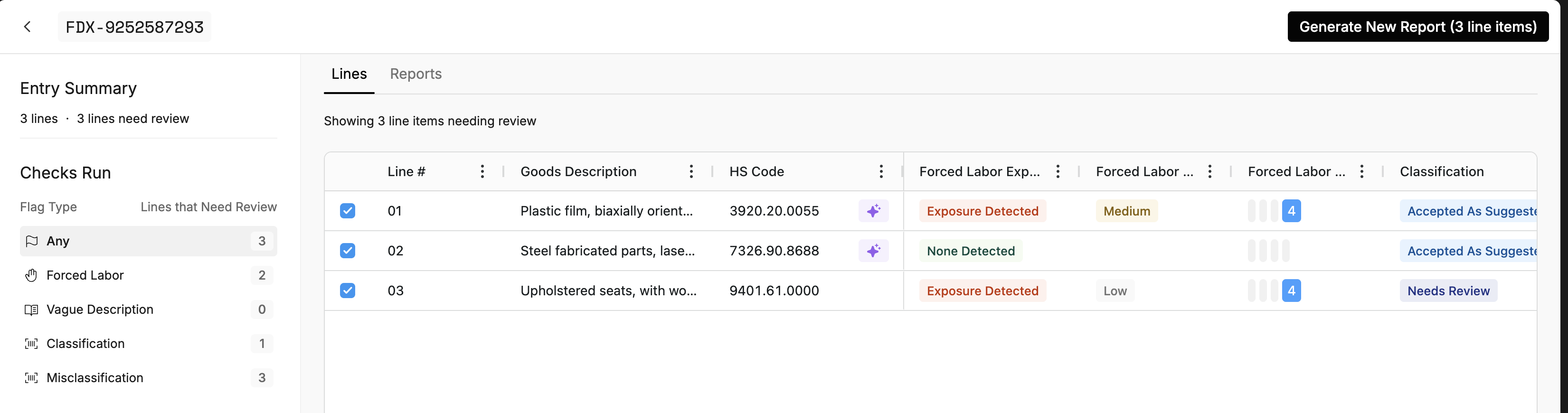
Select the lines you want, then choose Generate New Report.
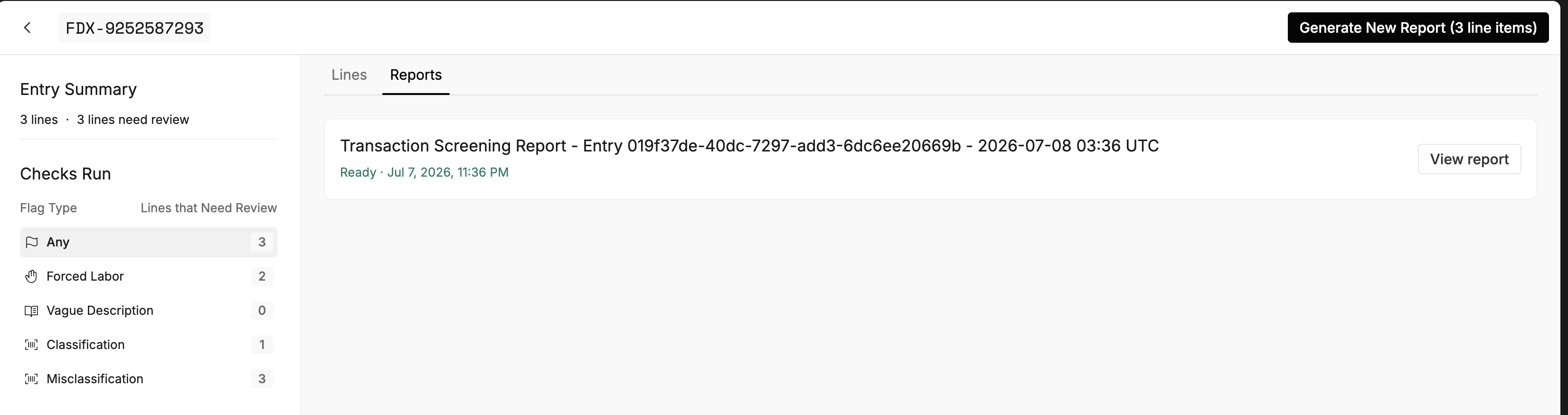
The report appears under the Reports tab; open it once its status is Ready.
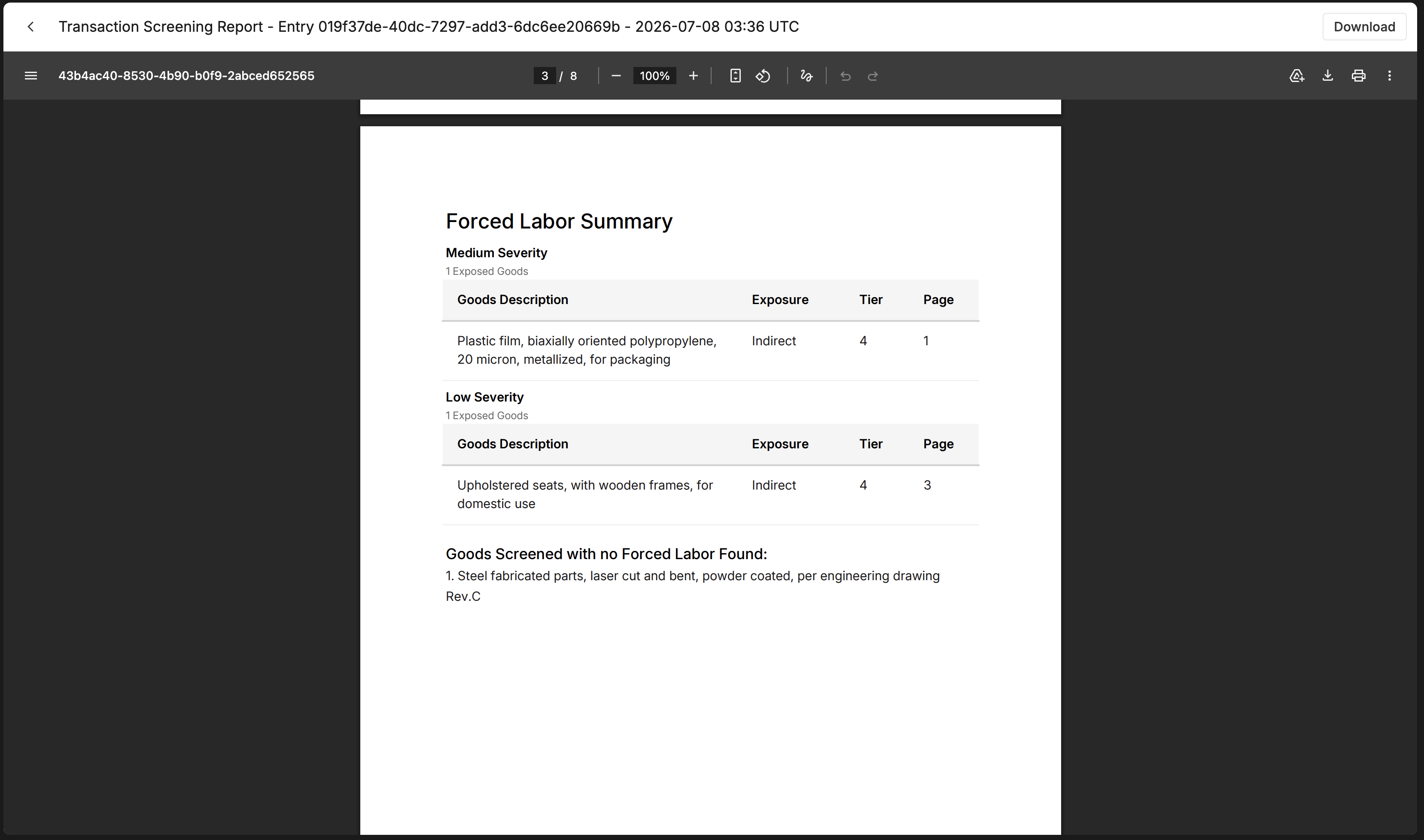
The report summarizes the selected lines by check — for example, a Forced Labor summary grouped by severity, with exposure, tier, and page references.