
Searching for Transactions
A transaction search returns individual shipment records — the buyer, the seller, the goods, and the date — rather than companies. Use it when you want to see the underlying trade activity itself and combine attributes like goods, origin, and date into a single query.
When to use a transaction search
Search for transactions when your question is about goods flows rather than entities: which shipments of a given product moved between two countries, what a specific company sent or received over a date range, or how a commodity flows from a country of origin to its destinations. Because transactions are a relationship type rather than an entity, each result is one shipment record connecting a sender and a receiver.
How it works
Choose Search from the left-hand navigation, then select Transactions from the entity-type menu. The transaction search form lets you combine several attributes — only one field is required to run a search, and fields are additive, so results match all the criteria you set.
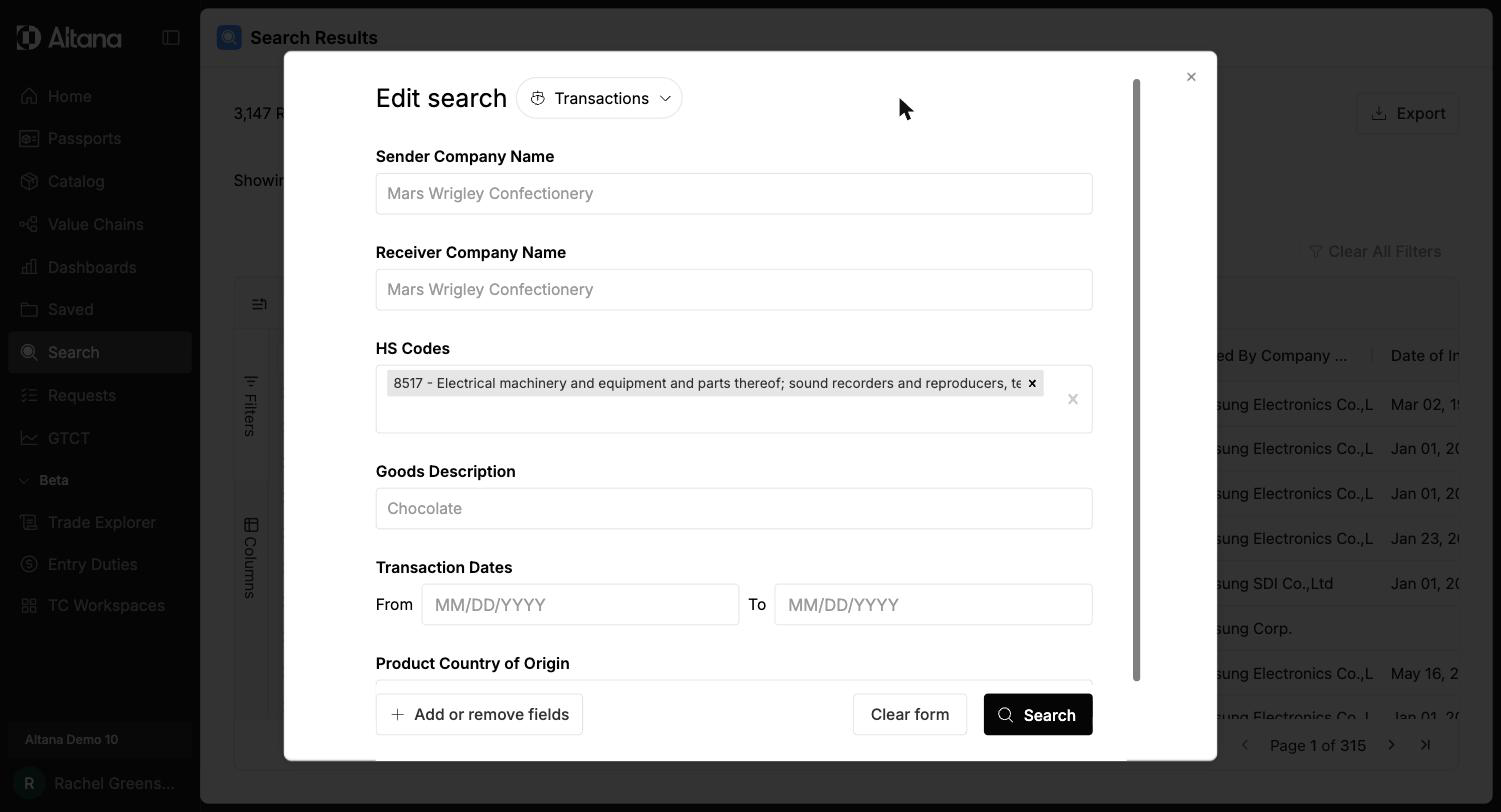
Common attributes include:
- Sender Company Name and Receiver Company Name — the two parties to the shipment
- HS Codes — the classification of the goods shipped
- Goods Description — free-text description of the goods
- Transaction Dates — a From / To date range
- Product Country of Origin — where the goods originated
Use Add or remove fields to expand the attribute set. The picker groups additional fields under Identifiers, Location, and Transaction Details, exposing options such as origin, destination, and facility countries, Source Record ID, and Data Source Country.
Outputs and interpretation
Results appear as a grid of individual transactions. Each row is one shipment, with columns such as Transaction Date, Sender Name, Sender Full Address, Receiver Name, Receiver Full Address, and HS Code.
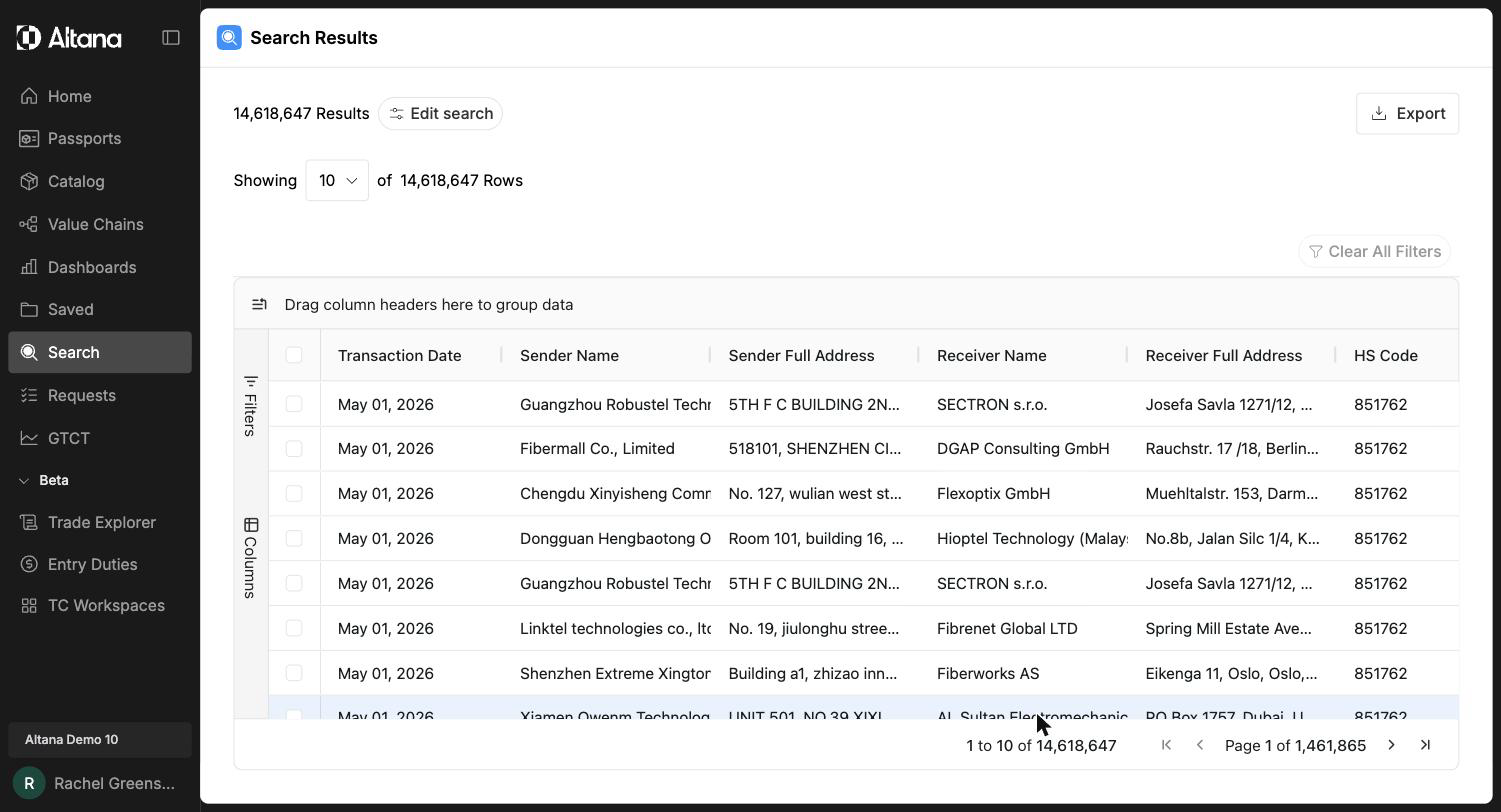
From here you can refine, filter, adjust columns, and export the grid the same way you would for any search. See Refining Search Results, Filtering Search Results, and Exporting Data.