
Finding an Entry
Three ways to reach an entry, from broadest to most direct.
1. Filter blocks
Click a filter block at the top of the home view to scope the table to a result set — for example, all entries with a forced labor exposure, or all entries with classifications needing input. Best when your starting point is a category of problem rather than a specific entry.
2. Stacked filters and sorting
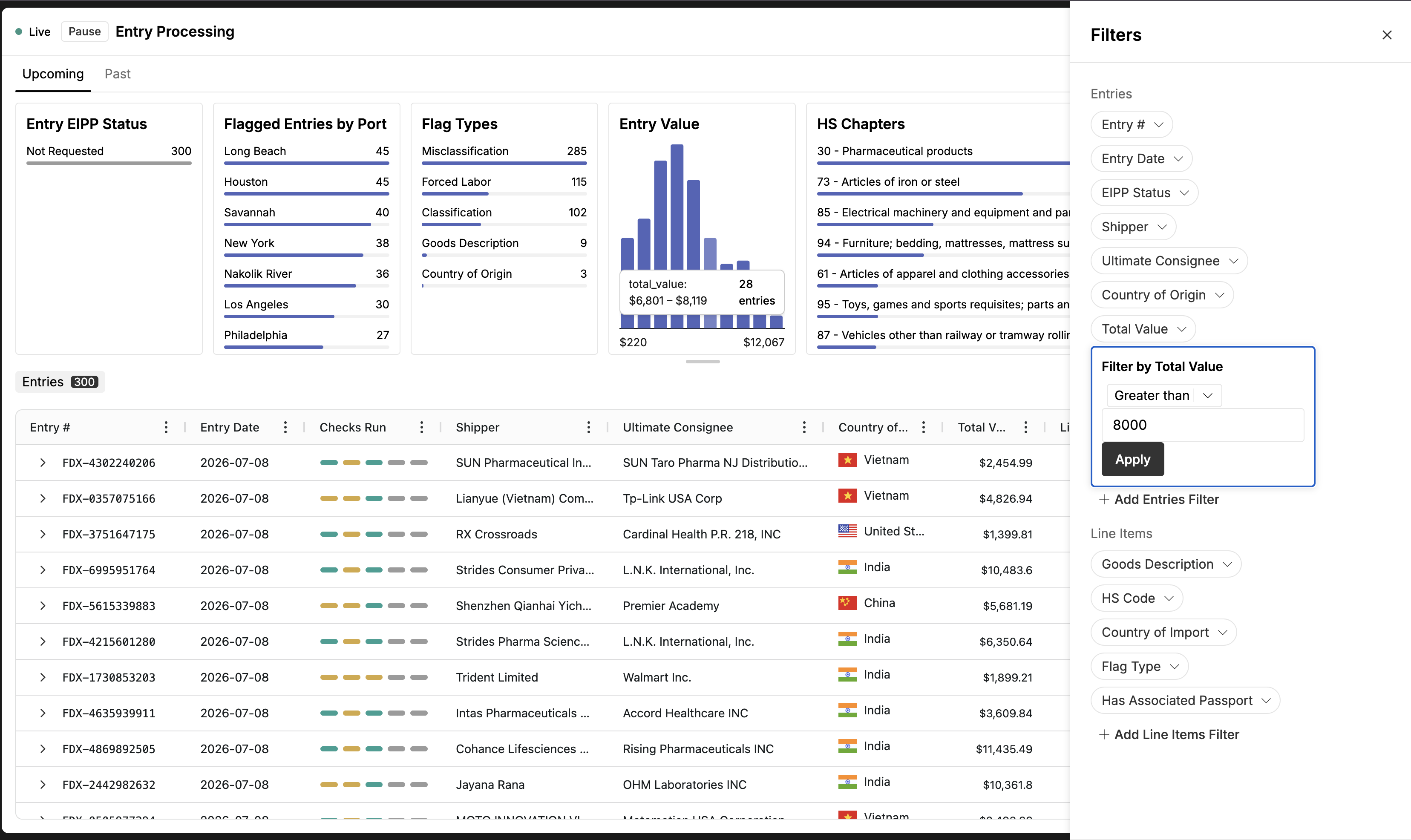
Open Filters and add as many conditions as you need across any field — for example: entries processed today, and total value above $8,000, and country of origin China. Every filter narrows the table further. Once filtered, sort by any column to order the subset. Best when you're working a defined slice of your volume.
3. Universal search (⌘K)
Press ⌘K and type the value you know — an entry number, a consignee. Best when you already know exactly which entry you need. Search takes one value at a time; it doesn't combine with filters.