
Searching for Procurements
A procurement search returns public contract and award records — the contracting entity, the awardee, and the terms of the award. Use it to trace who is buying from whom in public procurement and to connect those relationships back to companies in the graph.
When to use a procurement search
Search for procurements when you want to understand public-sector buying relationships: which organizations have awarded contracts to a given supplier, what a contracting entity has procured, or which awards fall within a particular date window. Like transactions, procurements are a relationship type — each result connects a contracting entity to an awardee.
How it works
Choose Search from the left-hand navigation, then select Procurements from the entity-type menu. Only one field is required to run a search, and fields are additive, so results match all the criteria you set.
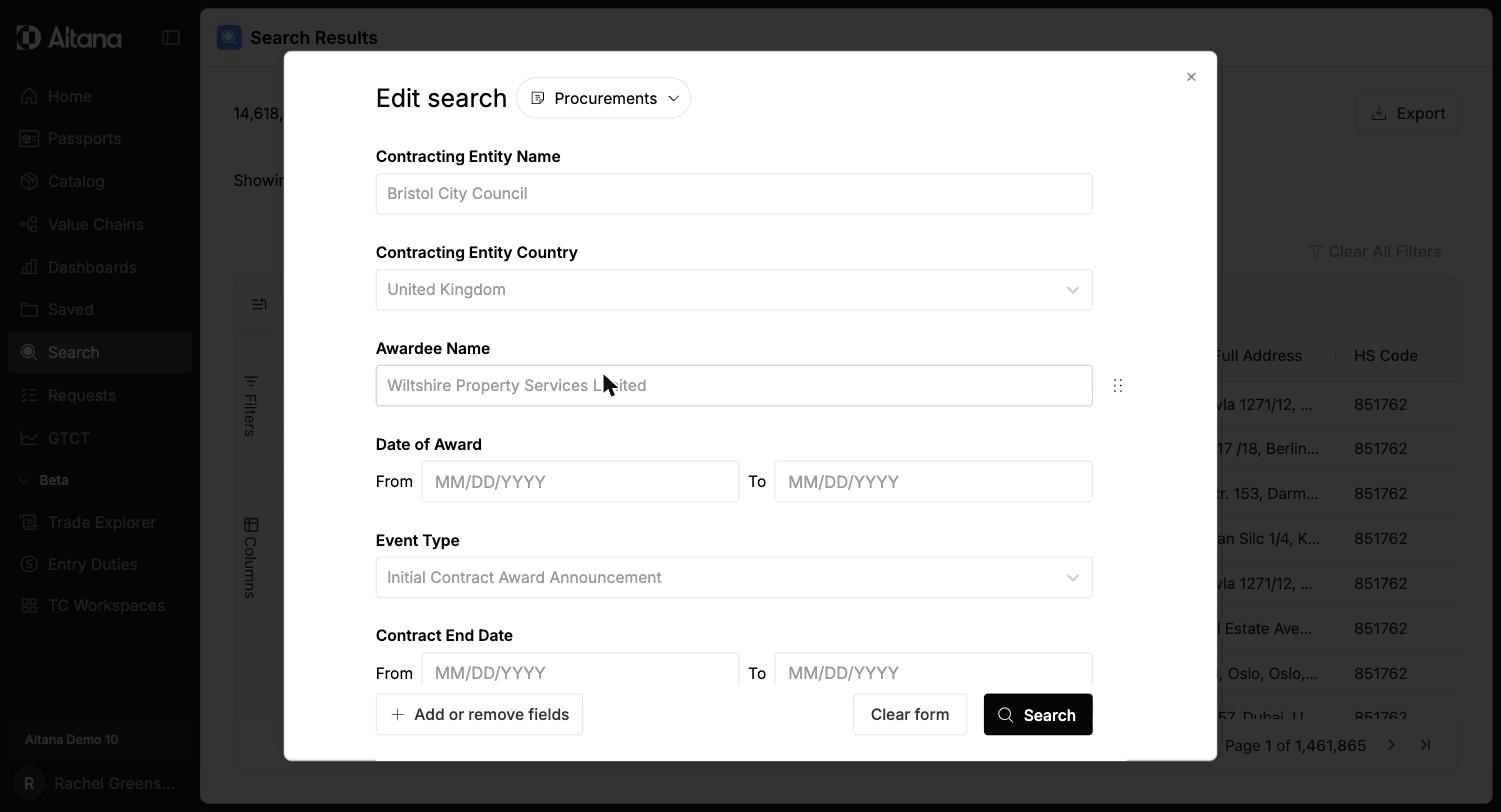
Common attributes include:
- Contracting Entity Name and Contracting Entity Country — the organization awarding the contract and where it is based
- Awardee Name — the company receiving the award
- Date of Award — a From / To date range
- Event Type — the kind of procurement event (for example, an initial contract award announcement)
- Contract End Date — a From / To date range for when the contract concludes
Use Add or remove fields to expand the attribute set with additional procurement details.
Outputs and interpretation
Results appear as a grid of procurement records, each connecting a contracting entity to an awardee along with the award details. You can refine, filter, adjust columns, and export the grid the same way you would for any search — see Refining Search Results, Filtering Search Results, and Exporting Data.