
Reading Check Results
Each check enabled for your account runs on every line item and returns a result with reasoning. You only see columns for the checks in your contract.
COO Misdeclaration
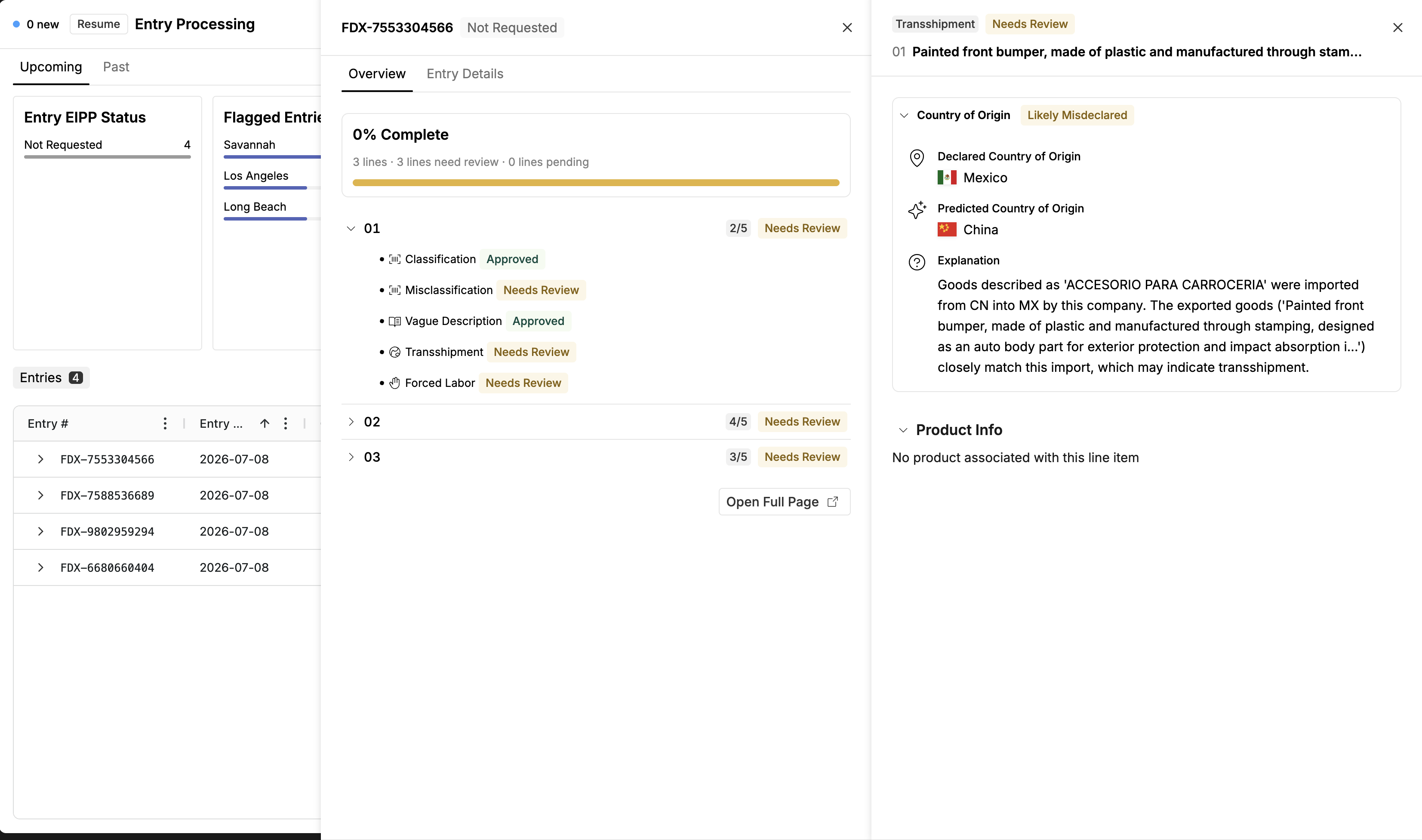
Altana independently predicts the country of origin for the line and compares it against the declared value. You see three things: the COO as provided in your submission, Altana's predicted COO, and an AI-generated explanation of the reasoning — what the goods are, where they were imported from, to which country, and why the declared origin looks inconsistent. Explanations are generated per line from the data received, so wording varies, but they follow that broad pattern.
Forced Labor
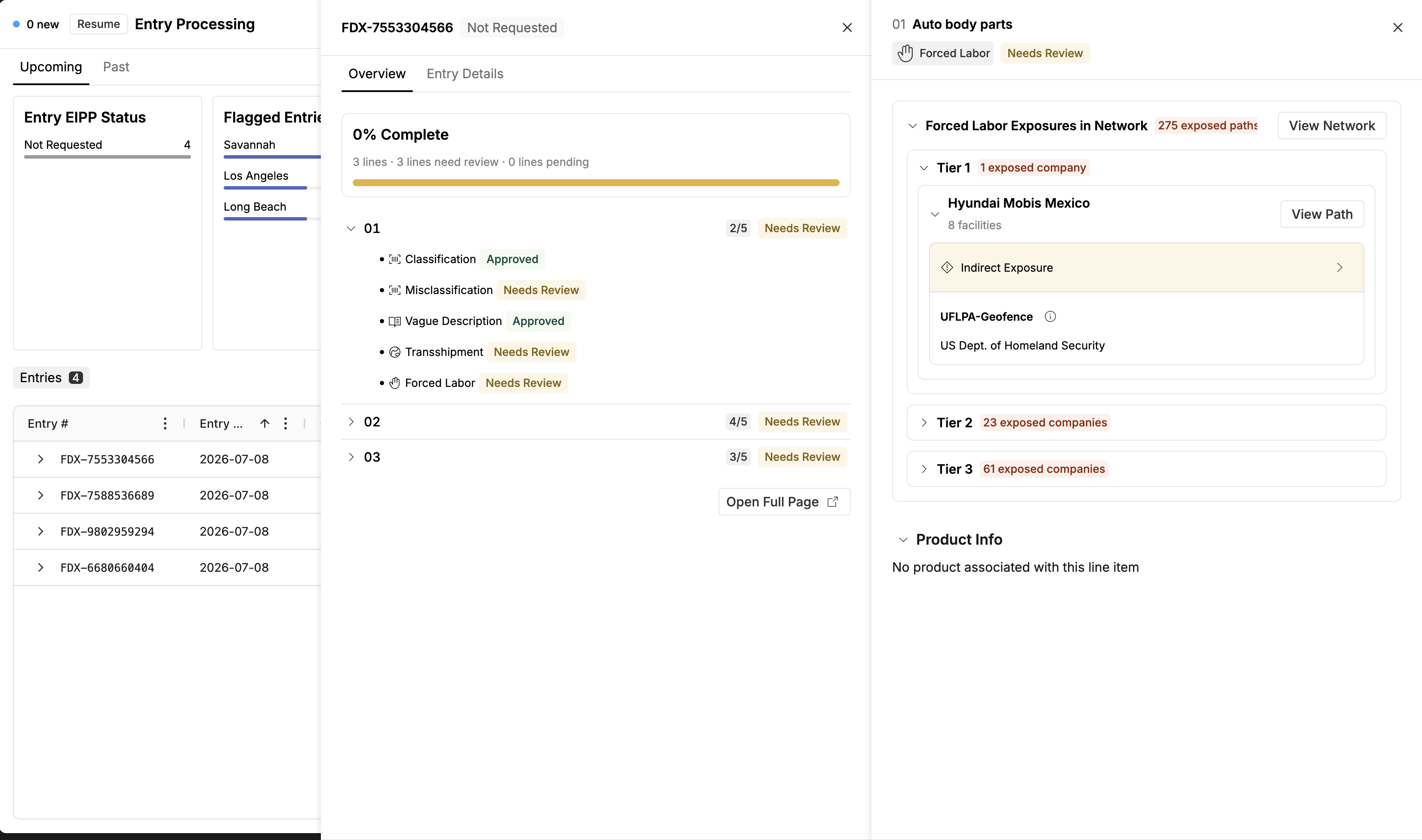
Exposures are broken down by supplier tier — for example, three exposed companies in tier 2, one in tier 3, seven in tier 4. For each exposed company you can expand to see:
The exposure list the company appears on.
Indirect exposure reasoning — for indirect exposures, the full ownership and sister-company chain connecting the entity to the exposure, with the number of connections (e.g., "potentially exposed through four connections: owned by X, which is owned by Y, a sister company of Z").
Facility-level detail — the specific facilities on the path, with addresses where available.
HS Classification
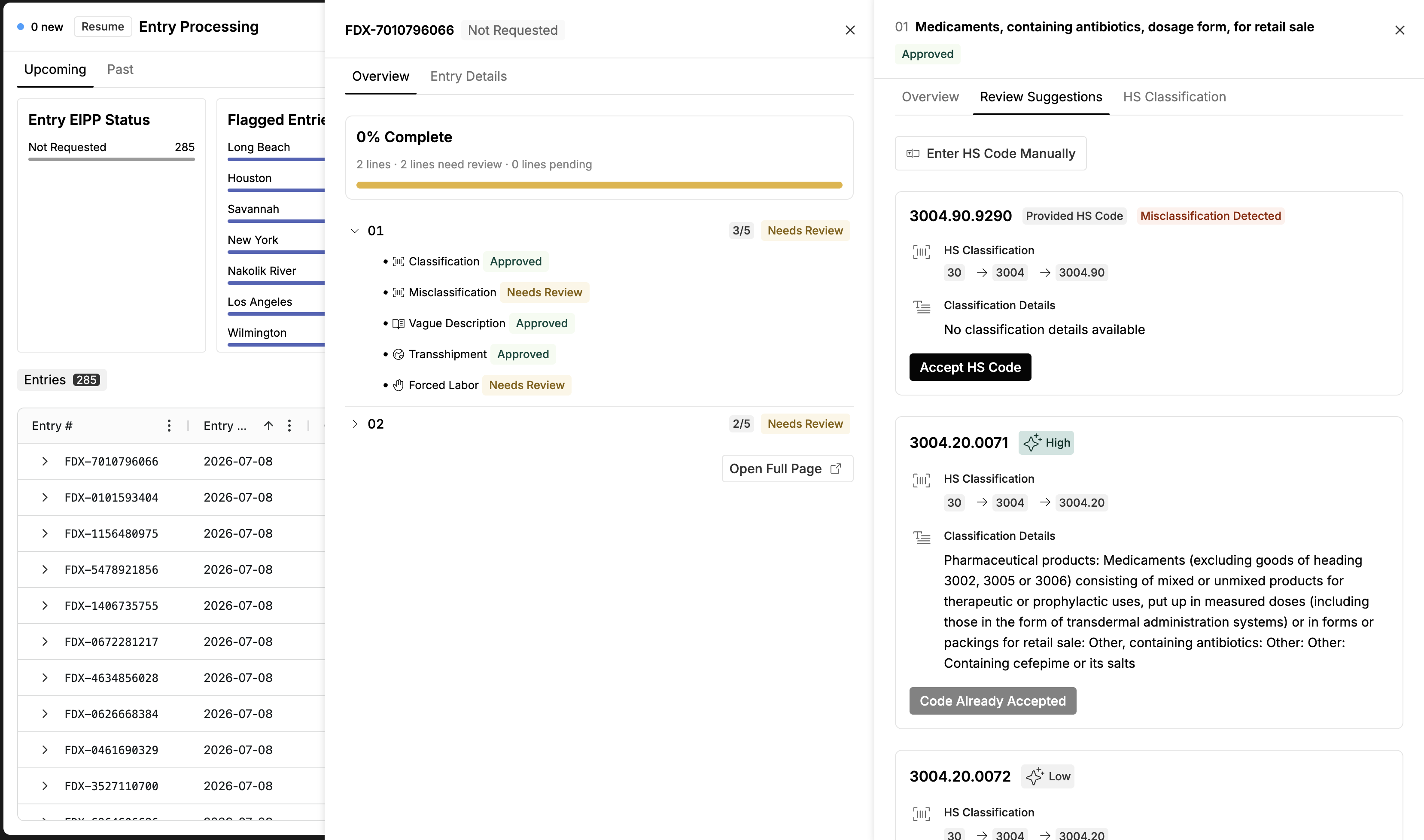
Altana's autoclassifier runs on each line, producing a suggested 10-digit HTS code with supporting logic and an enhanced goods description. Two insight badges can accompany a classification:
Vague goods description — the description provided isn't sufficient for confident classification; enrichment or shipper follow-up is the fix.
Misclassification risk — the provided code diverges from what Altana would classify.
These badges are signals within the classification workflow, not separate checks — they guide review rather than requiring independent remediation. For classification-heavy, product-level work, use the HS Classification lens in TC Workspaces; EPS surfaces classification in the context of the entry.
Denied Party Screening / AML
The entities on the entry (sender, receiver) are matched against denied and restricted party lists. This is a direct list match, not a prediction — a result appears when the required entity fields are present and the check is enabled.
Counter-Narcotics
Where enabled, surfaces precursor-chemical involvement, the relevant watch lists, and a breadcrumb trail to the source data.
For how each result maps to a status, see Statuses & Review States.