
Filtering for a Company's Suppliers
If you would like to see only a company's suppliers, set a filter to exclude all outbound shipments.
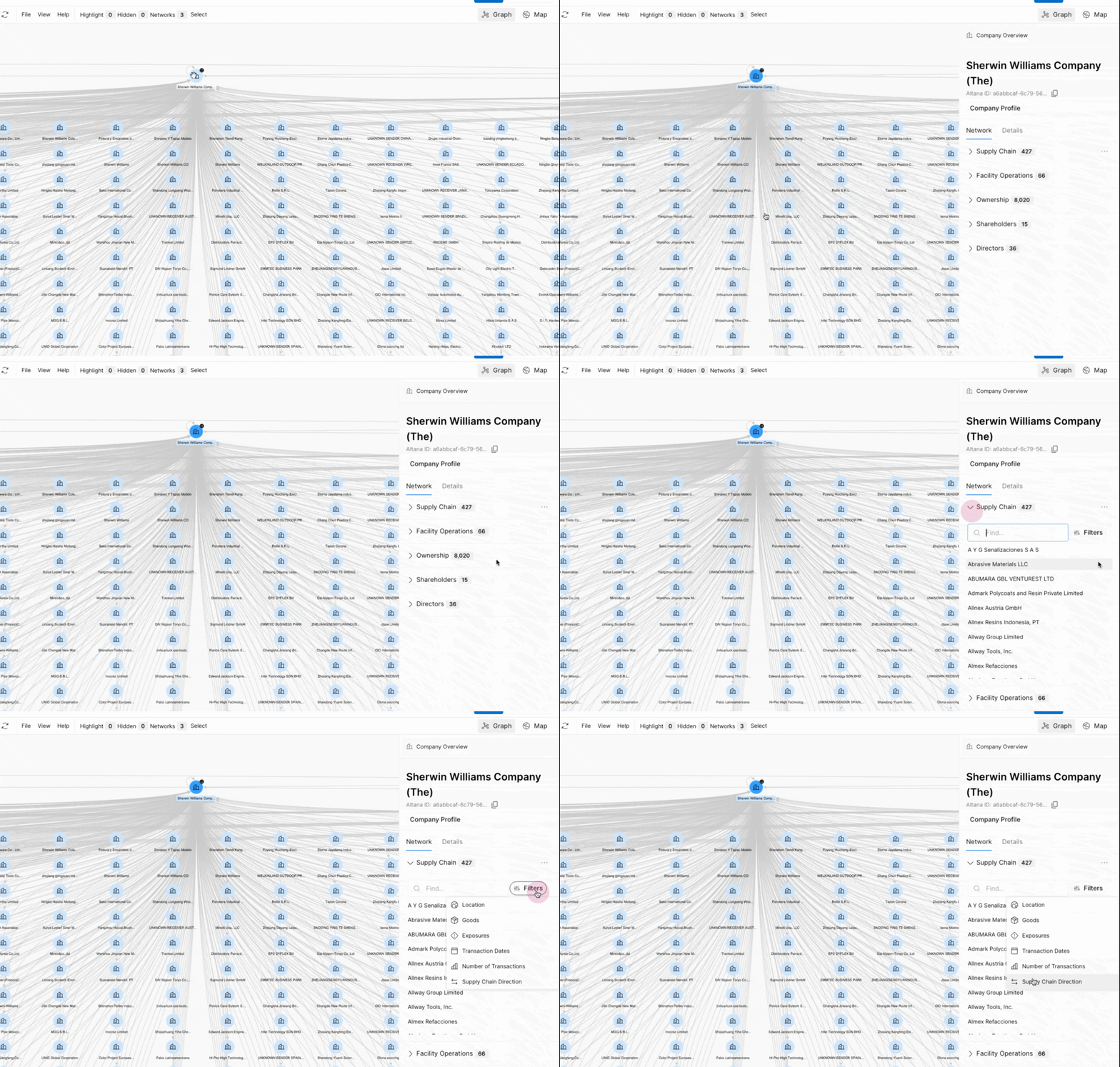
Select the relevant company node to open the side drawer. Then, expand Supply Chain, click Filters, and choose Supply Chain Direction.
Here you can set a filter to define Supply Chain Direction. In this example, we only want a company's suppliers, so we'll choose the Only inbound relationships option. This filters out all relationships where the selected company (Sherwin Williams) is the sender and not the receiver of goods in shipment records.
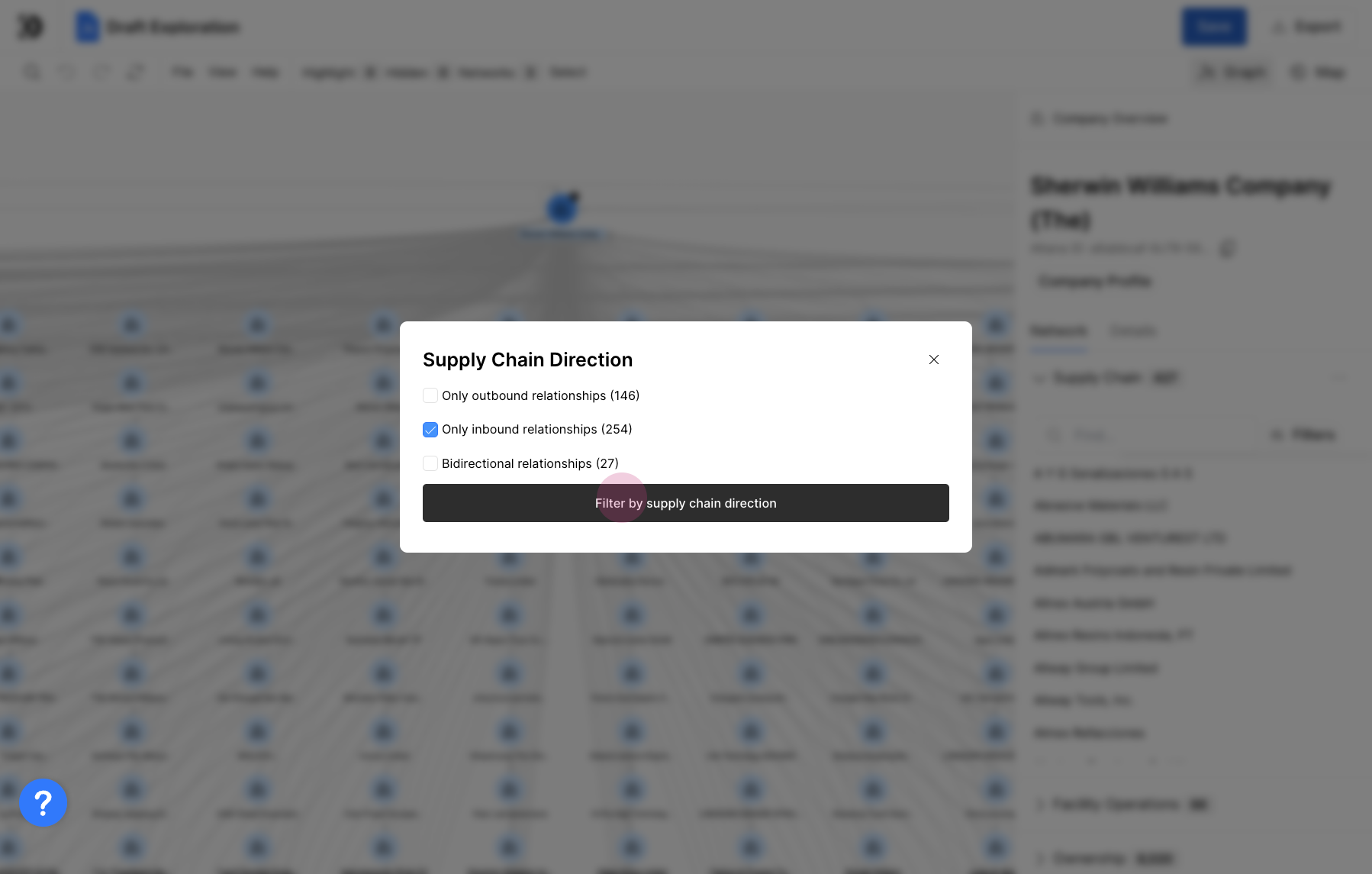
Bidirectional relationships may require further interpretation to determine their exact nature, if they represent goods flowing from a "Supplier."