
The Entries Home View
The Entries home view is where every entry lands. It's built around three elements: filter blocks across the top, the entries table below them, and universal search available anywhere.
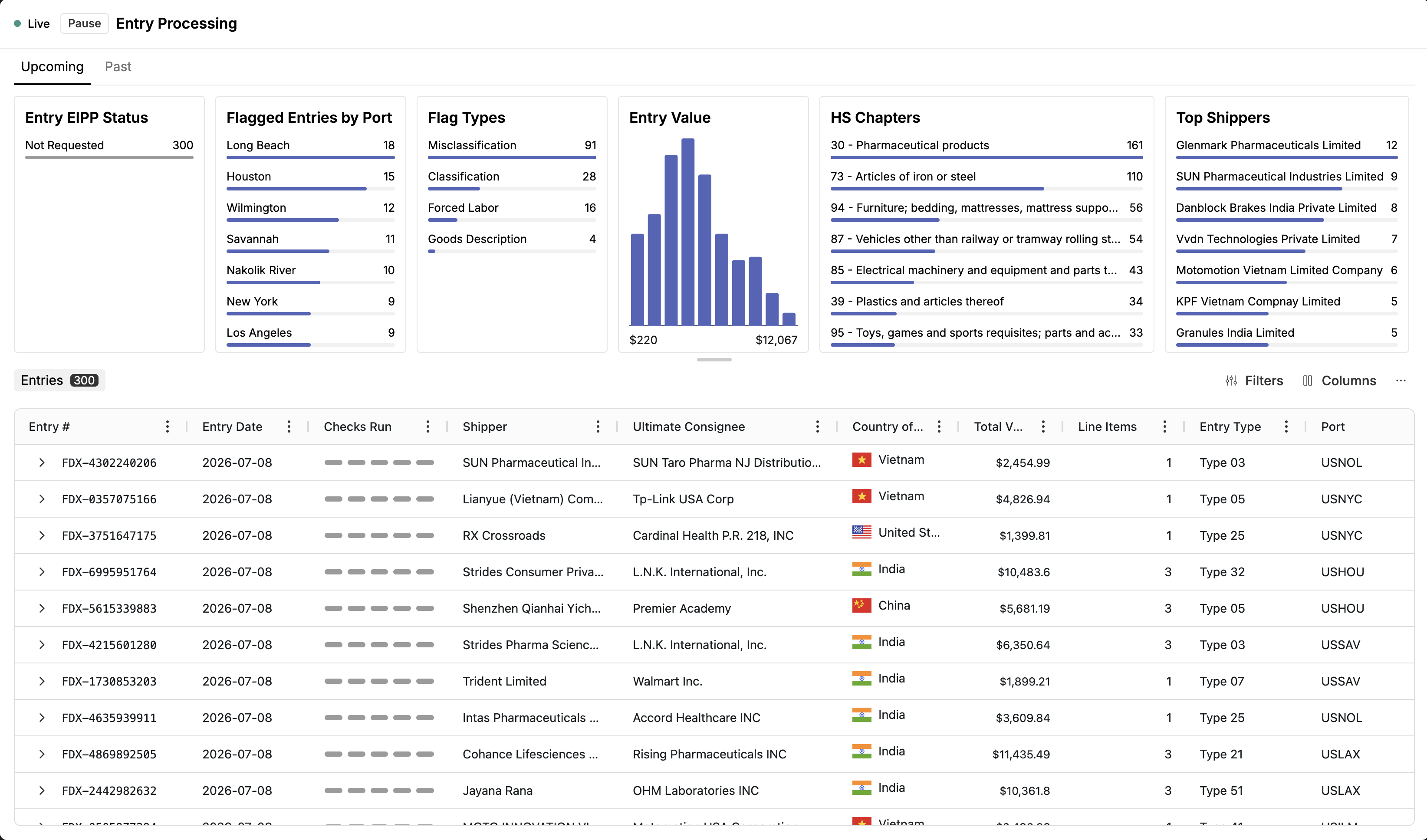
Filter blocks
Filter blocks sit across the top of the page and summarize your entry volume by the dimensions that matter — including check results such as forced labor exposures, COO misdeclaration flags, classification needing input, vague goods descriptions, and misclassification risk. Clicking a block filters the table below to just those entries. Filter blocks are the fastest way to jump from "what needs my attention" to the entries themselves.
The entries table
Below the blocks sits the full entries table. Each row is an entry; key columns include:
Entry identifiers — entry number, consignee, importer, and the other header fields you're used to from TCG. Columns carry over from TCG, so nothing you filtered or sorted on before is lost.
Checks run — icons showing which checks ran on that entry.
Status — the entry-level review state: Needs review or No action required (see Statuses & Review States).
Entry values — dates, declared values, countries, and other sortable fields.
Use Filters to stack conditions across any field, Columns to control what's visible, and click any column header to sort. Clicking a row opens the entry.
Universal search
Press ⌘K (Ctrl+K on Windows) to open universal search. Type any value — an entry number, a consignee name — and matching entries surface immediately, without choosing which field to search first. Universal search matches on a single value at a time; to combine conditions, use stacked filters instead.
For the different ways to reach a specific entry, see Finding an Entry.