
Creating Organizations
Creating Organizations
Secure, collaborative environments
Create a dedicated Organization for external collaborators, like customers or consultants, to keep their classification work, entry screening, and shared product catalogs perfectly organized, secure, and accessible.
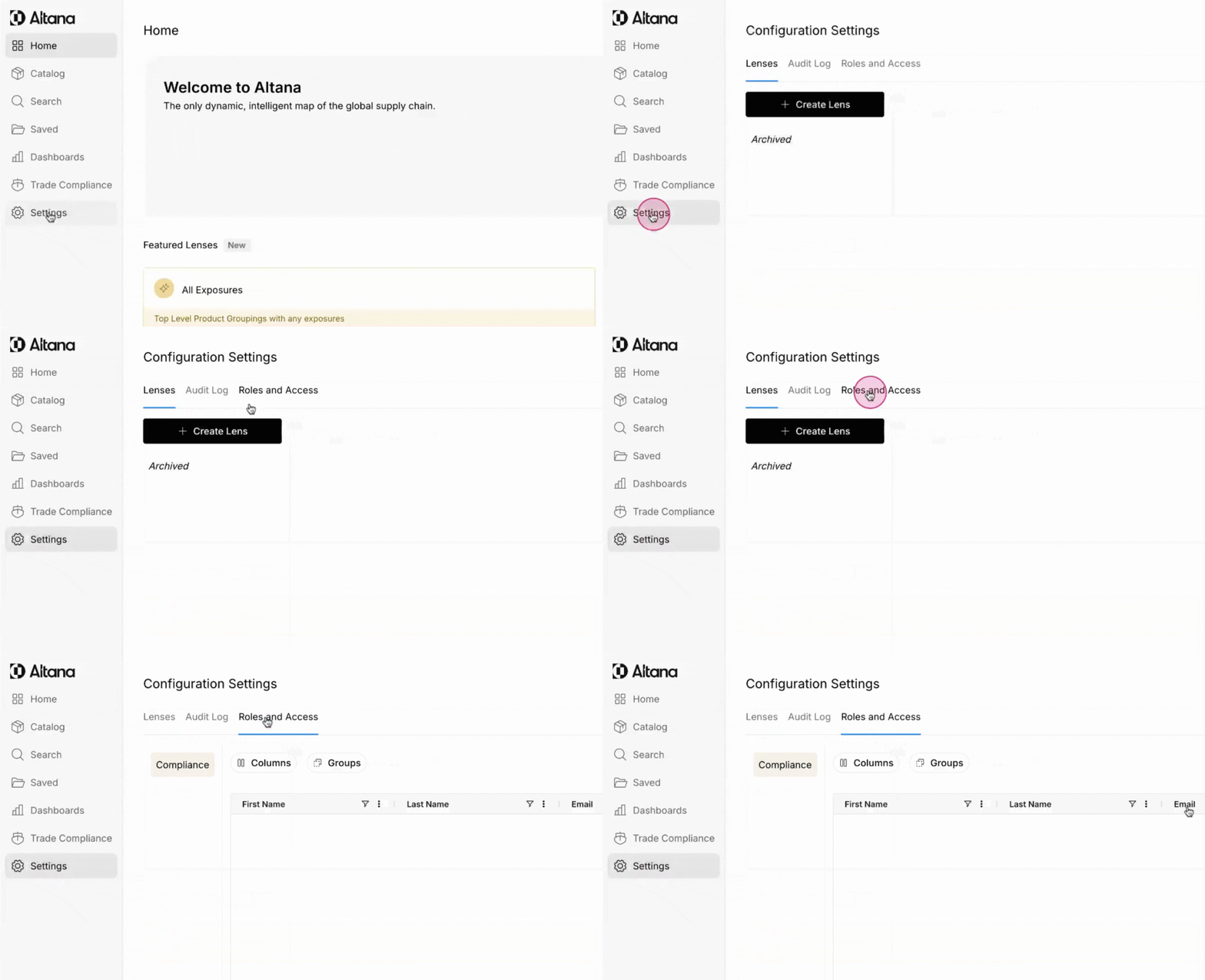
Step 1: Start by clicking Settings from the sidebar and then clicking the Roles and Access tab.
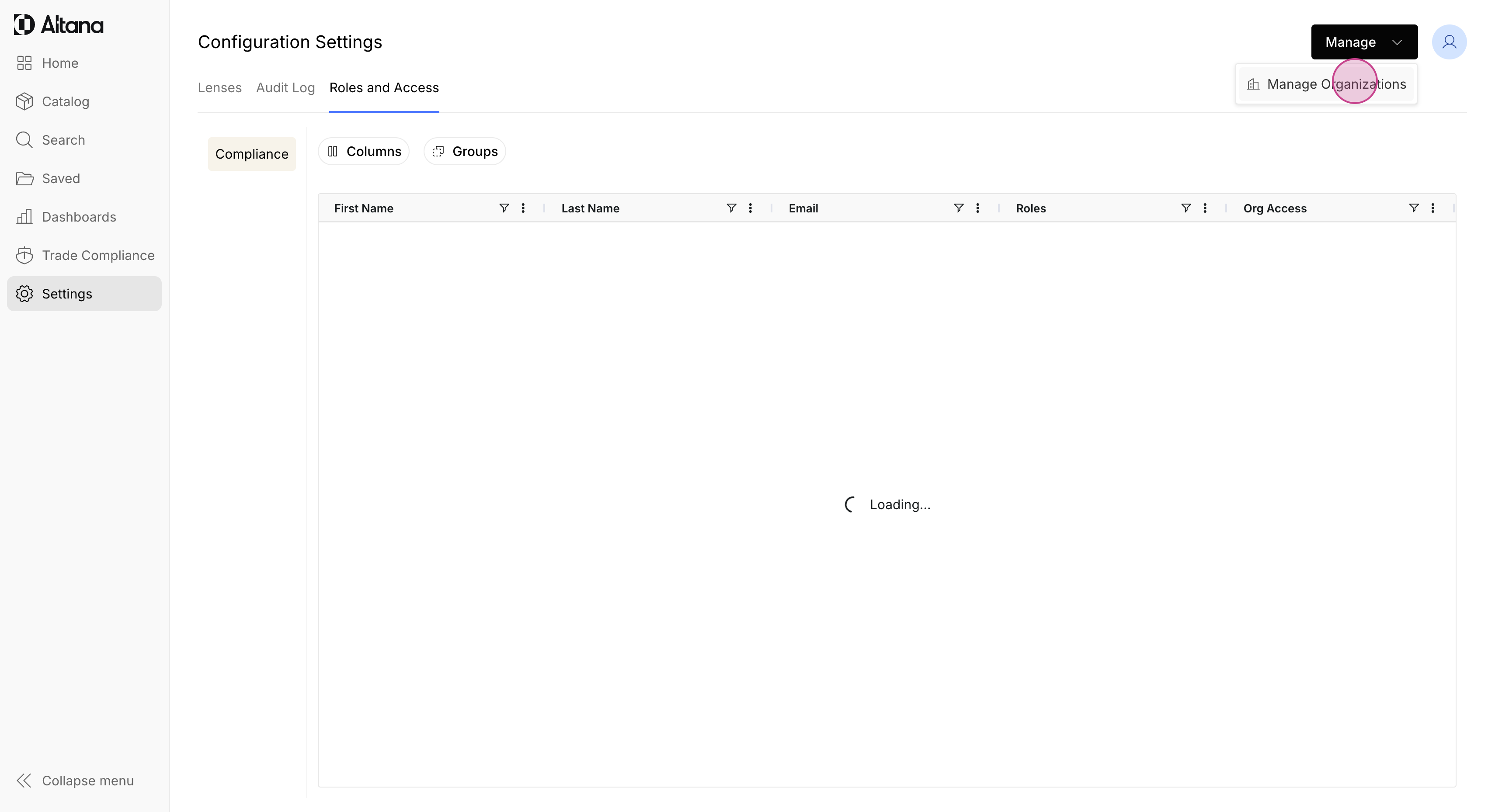
Step 2: Click Manage in the upper right hand corner and select Manage Organizations.
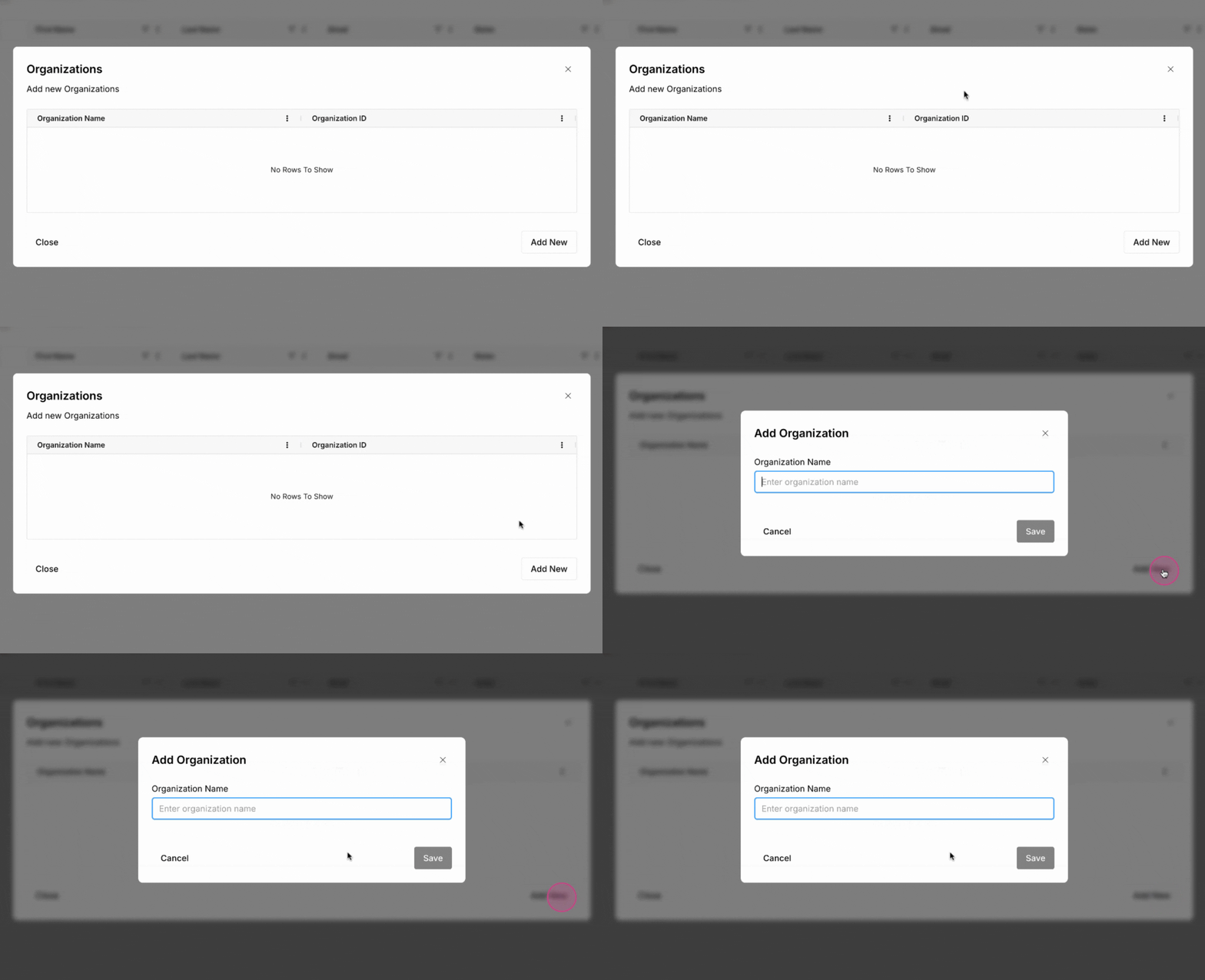
Step 3: Now, click the Add New button.
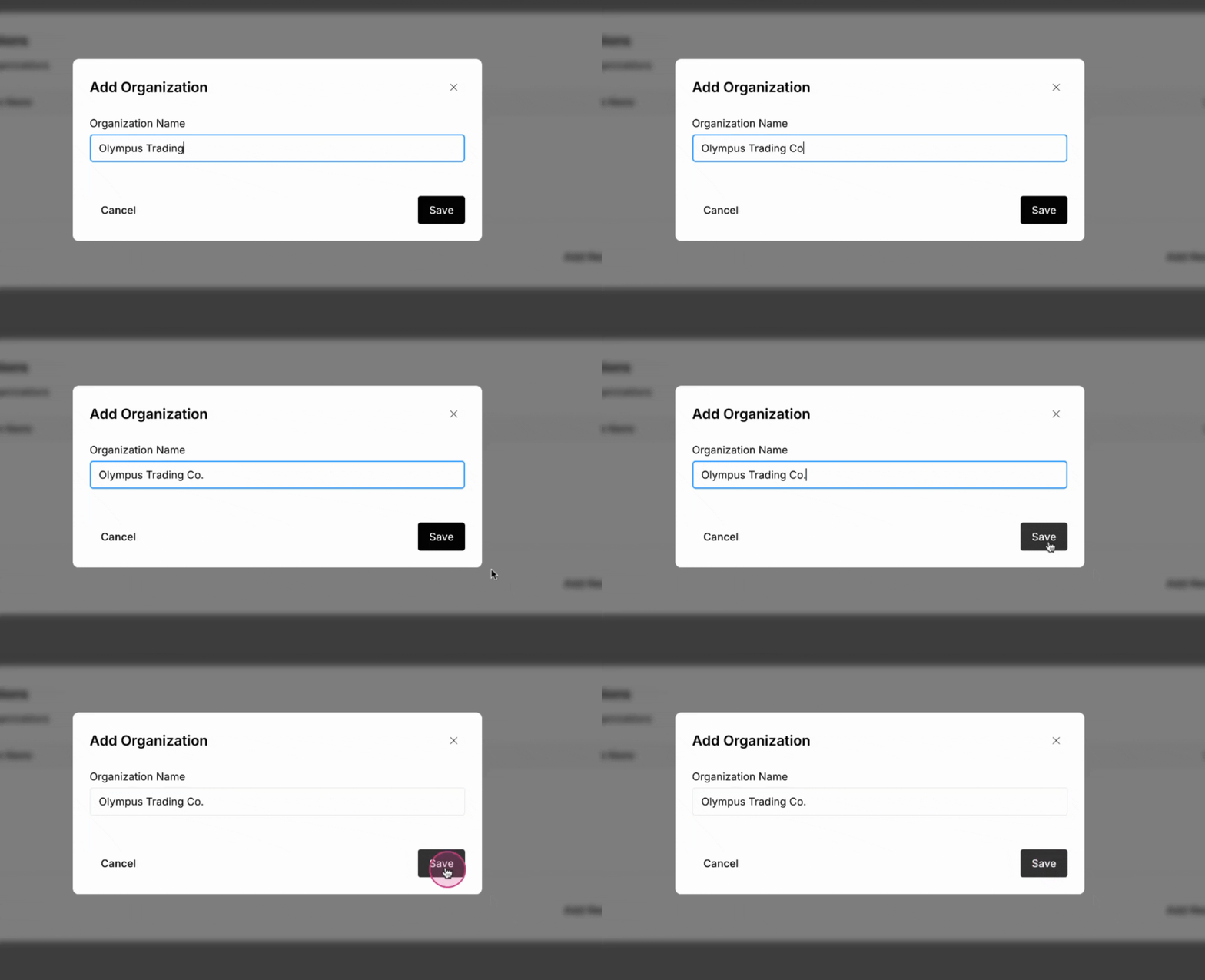
Step 4: Enter the Organization's Name and click Save.
Want to associate an upload with an Organization? Click here to learn more.