
Filtering Suppliers by Transaction Dates
To refine an Exploration to only the suppliers with transactions in a specific time frame, select the node, expand Supply Chain, click Filters, and choose Transaction Dates.
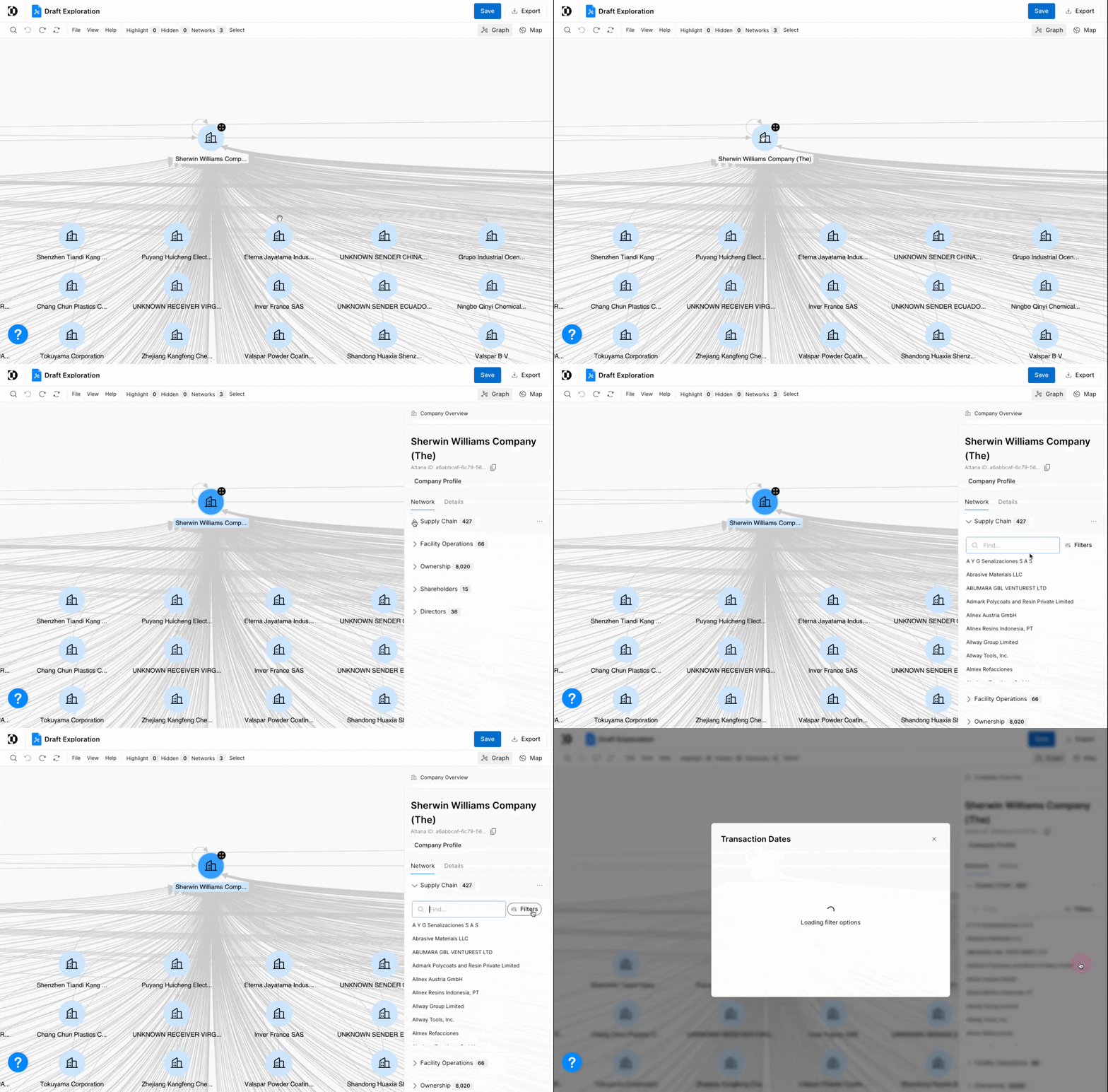
Update the filter with any date range. In this example, we're filtering for only those transactions that occurred between January 2020 and June 2024.
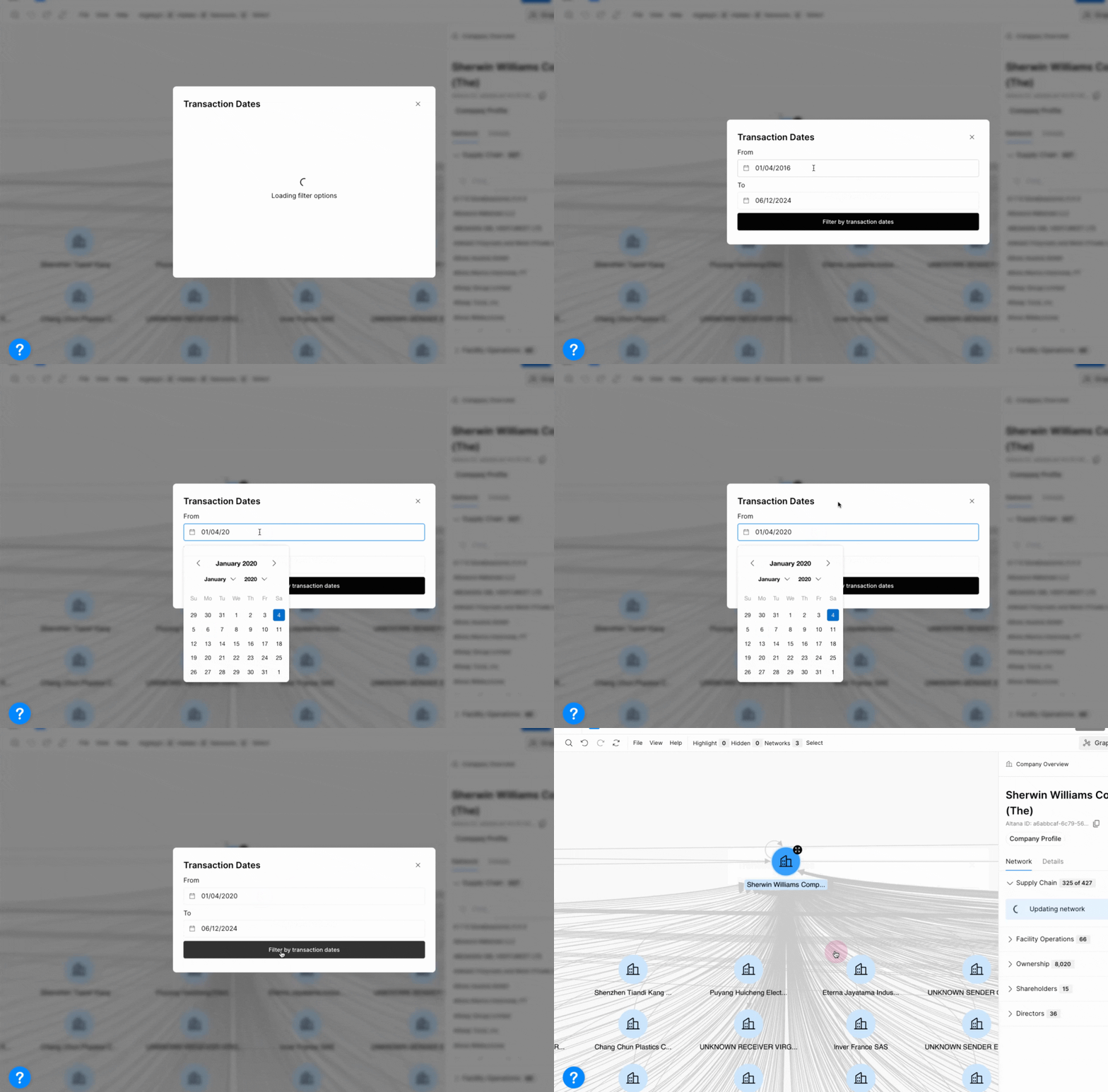
Filtering is built to be flexible, so use the options to find the outcome you're looking for.