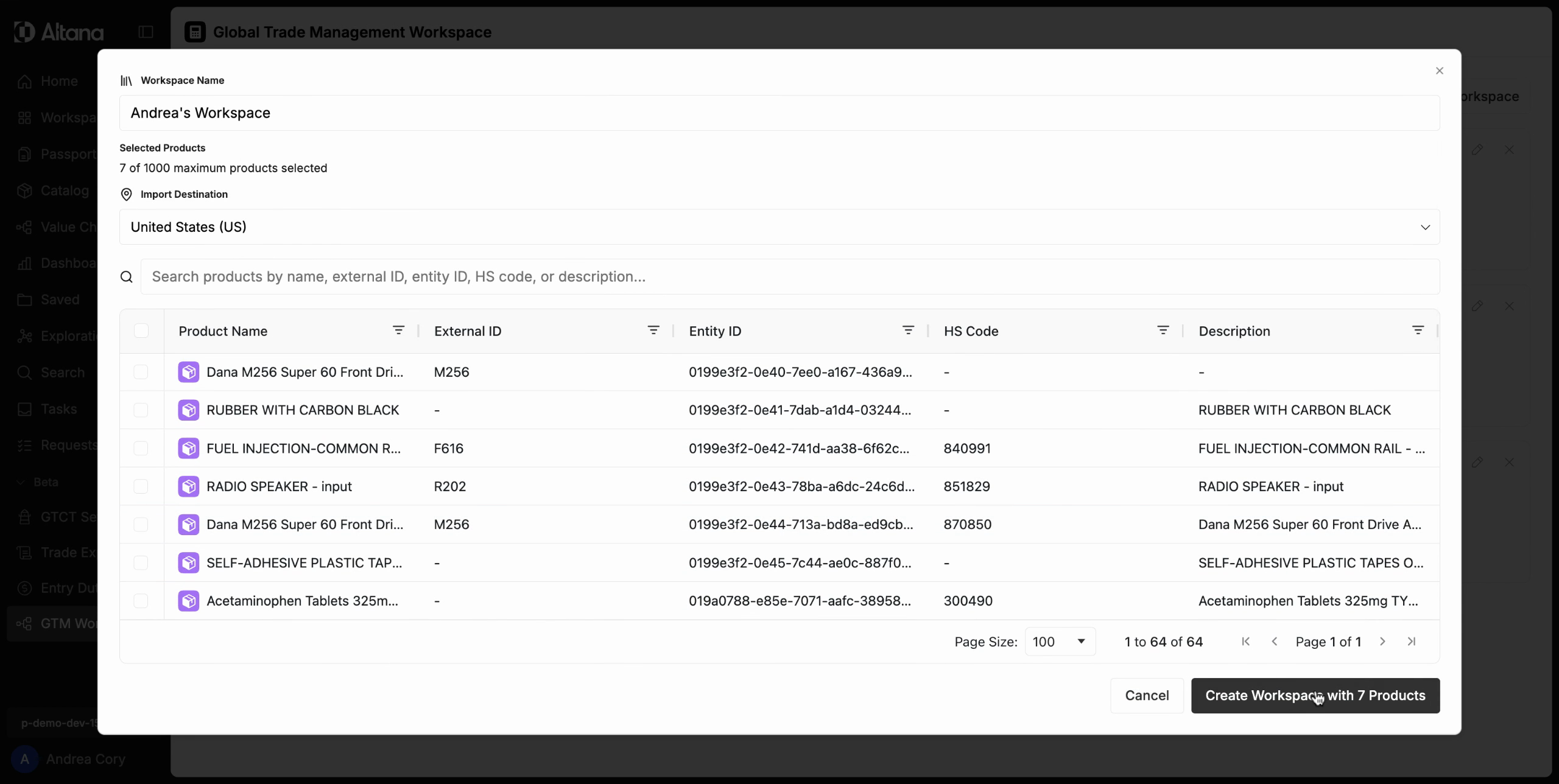
Getting Started with Trade Workflows: Creating a GTM Workspace
Creating a GTM Workspace allows you to created a focused space where you can qualify products for FTAs, calculate tariffs, determine a COO, and more.
Step 1: Once you have all of your products in your catalog, you're going to click GTM Workspace.
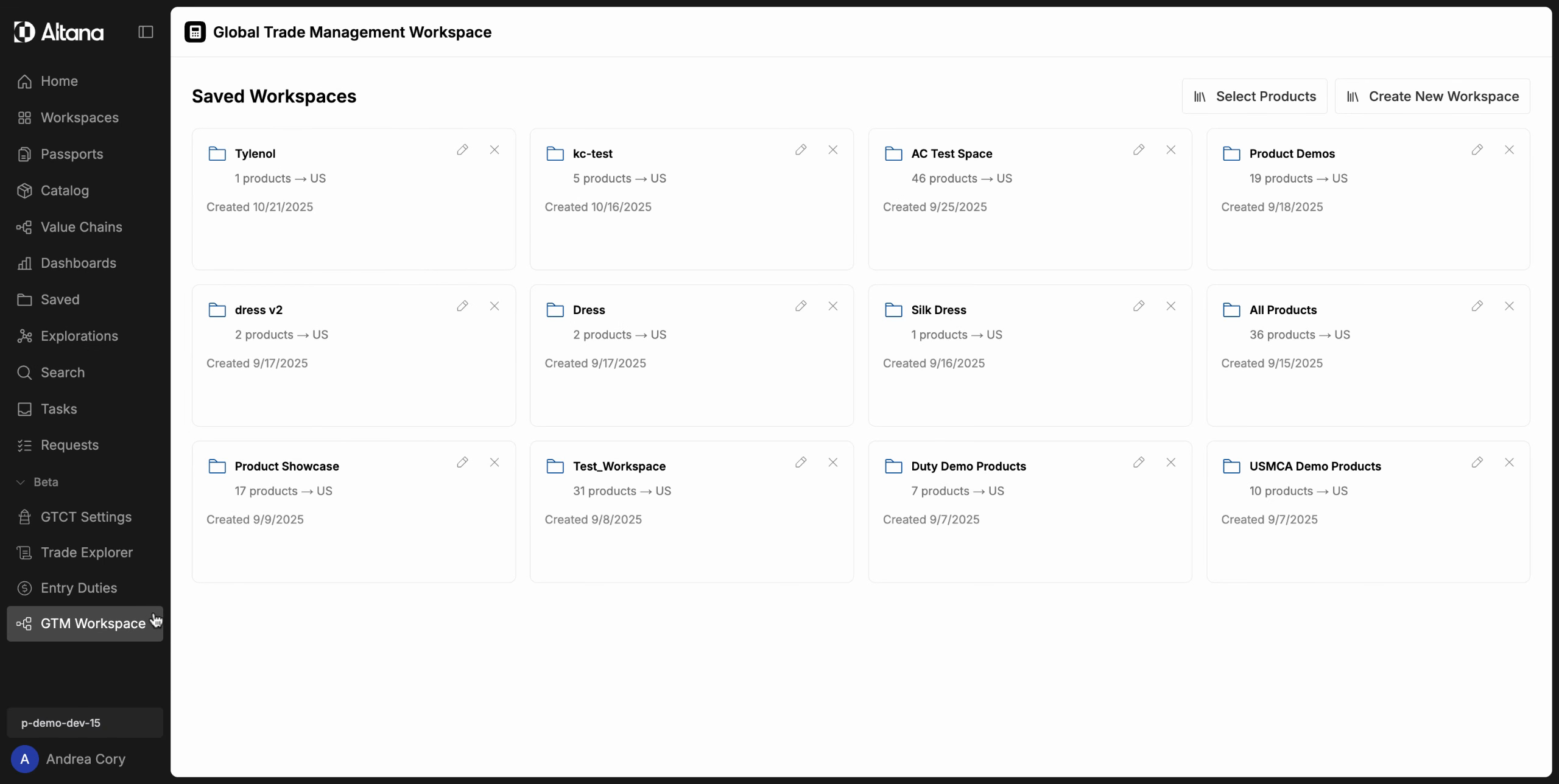
Step 2: When you're in your GTM workspace, you can see your existing saved workspaces. But to get started on the trade workflows, you're going to need to create a new workspace.
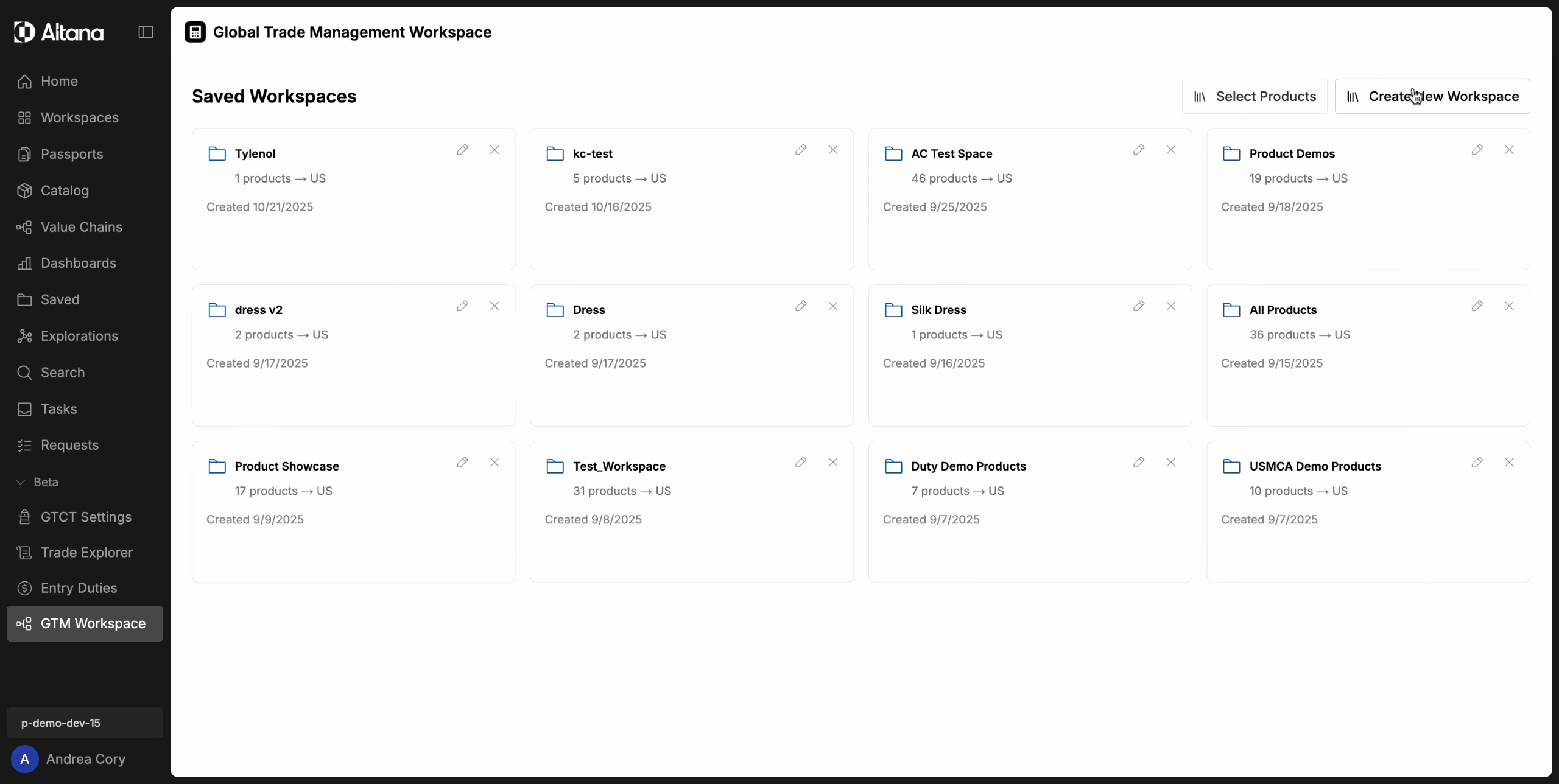
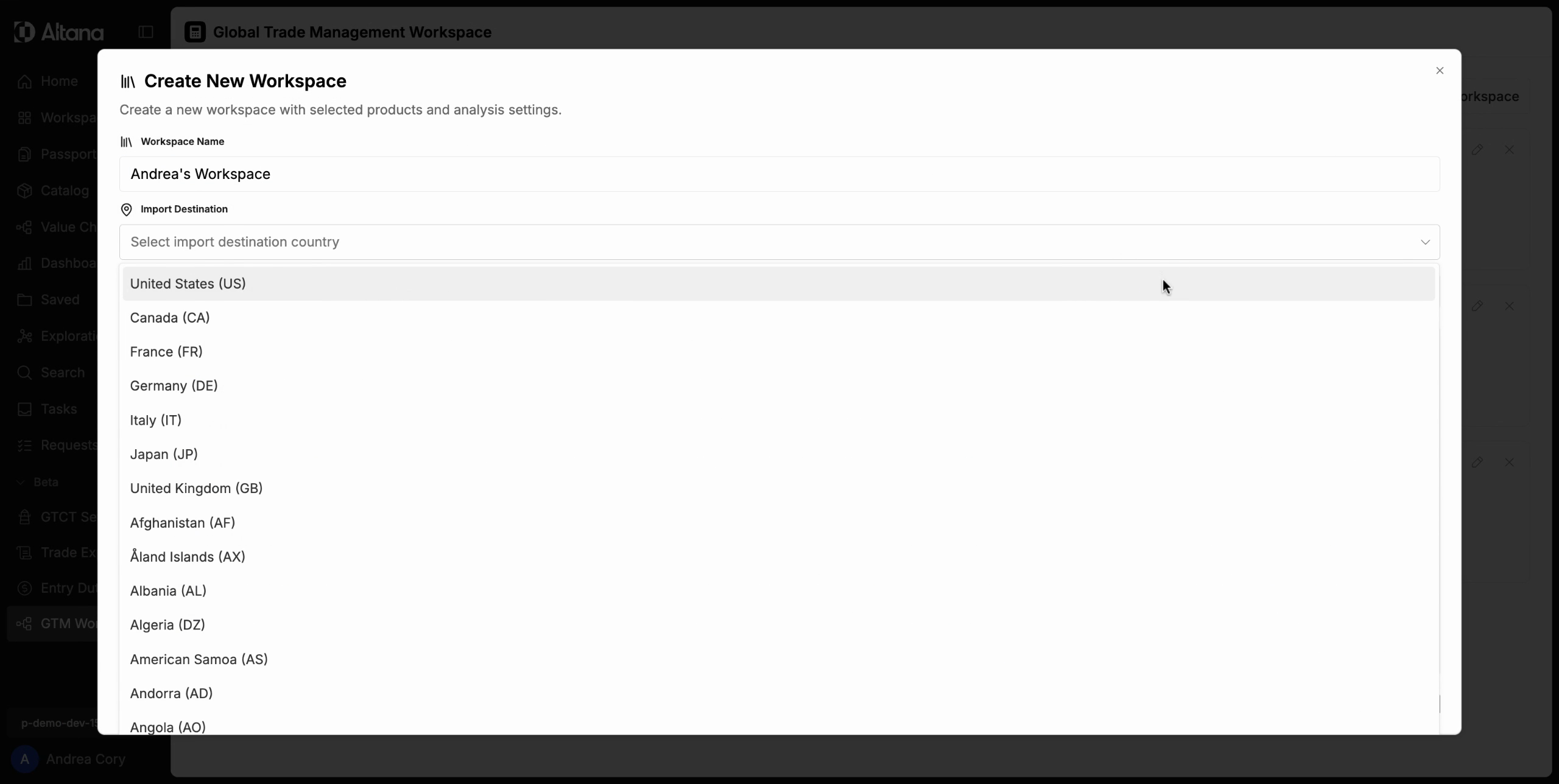
Step 3: You're going to need to name the workspace. Then, you're going to add the import destination.
Step 4: Then, add the products that you want in the workspace.
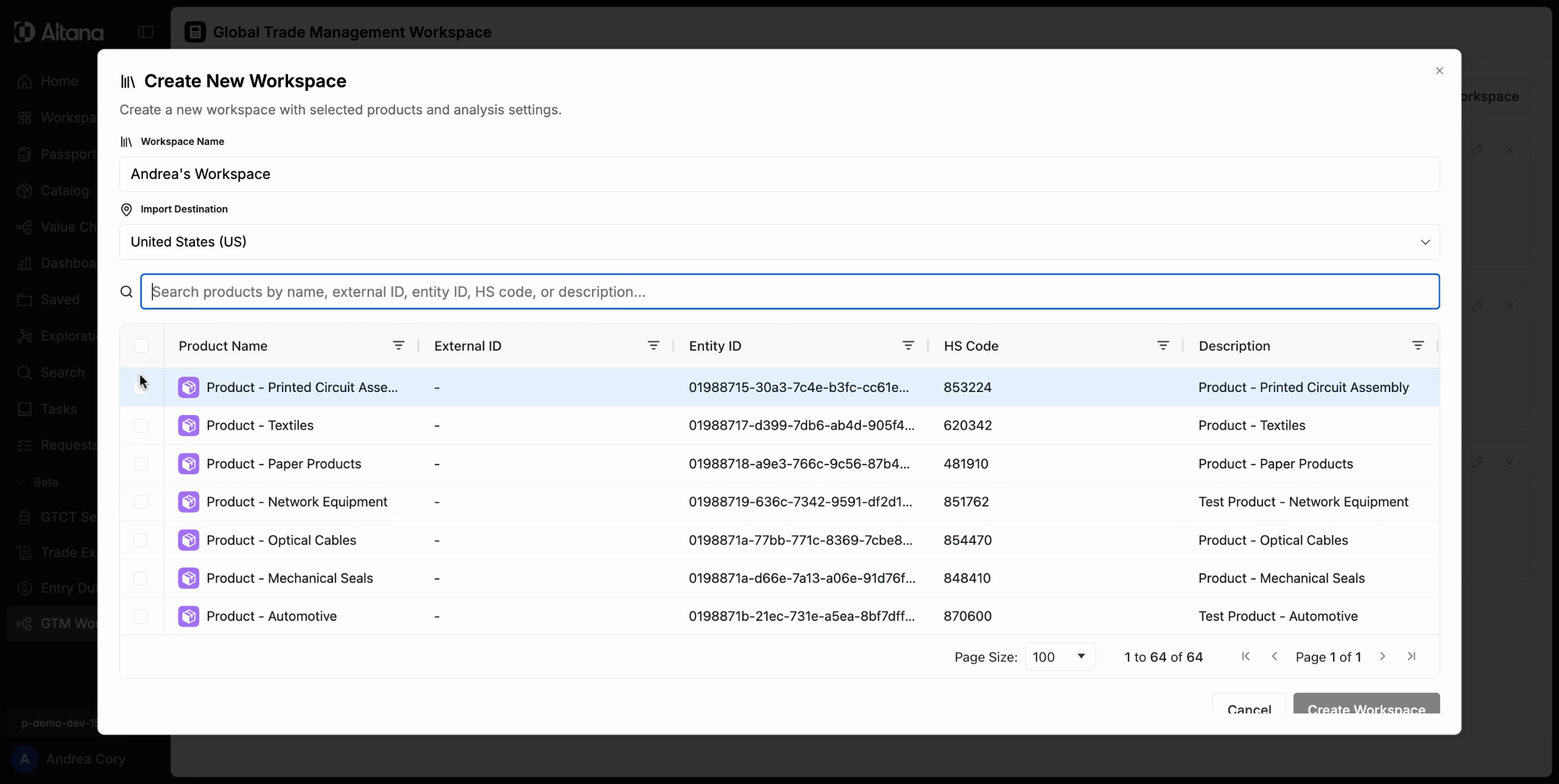
Step 5: Then, you can create your workspace with those products.