Investigations Workflow
The investigations workflow takes you from a flagged entity to a fully assembled case — with the model's explanation in hand and two paths for deepening the investigation: a company profile or a live network exploration. This guide uses the Counternarcotics workspace as the example, but the same steps apply across Trade Enforcement Suite workspaces.
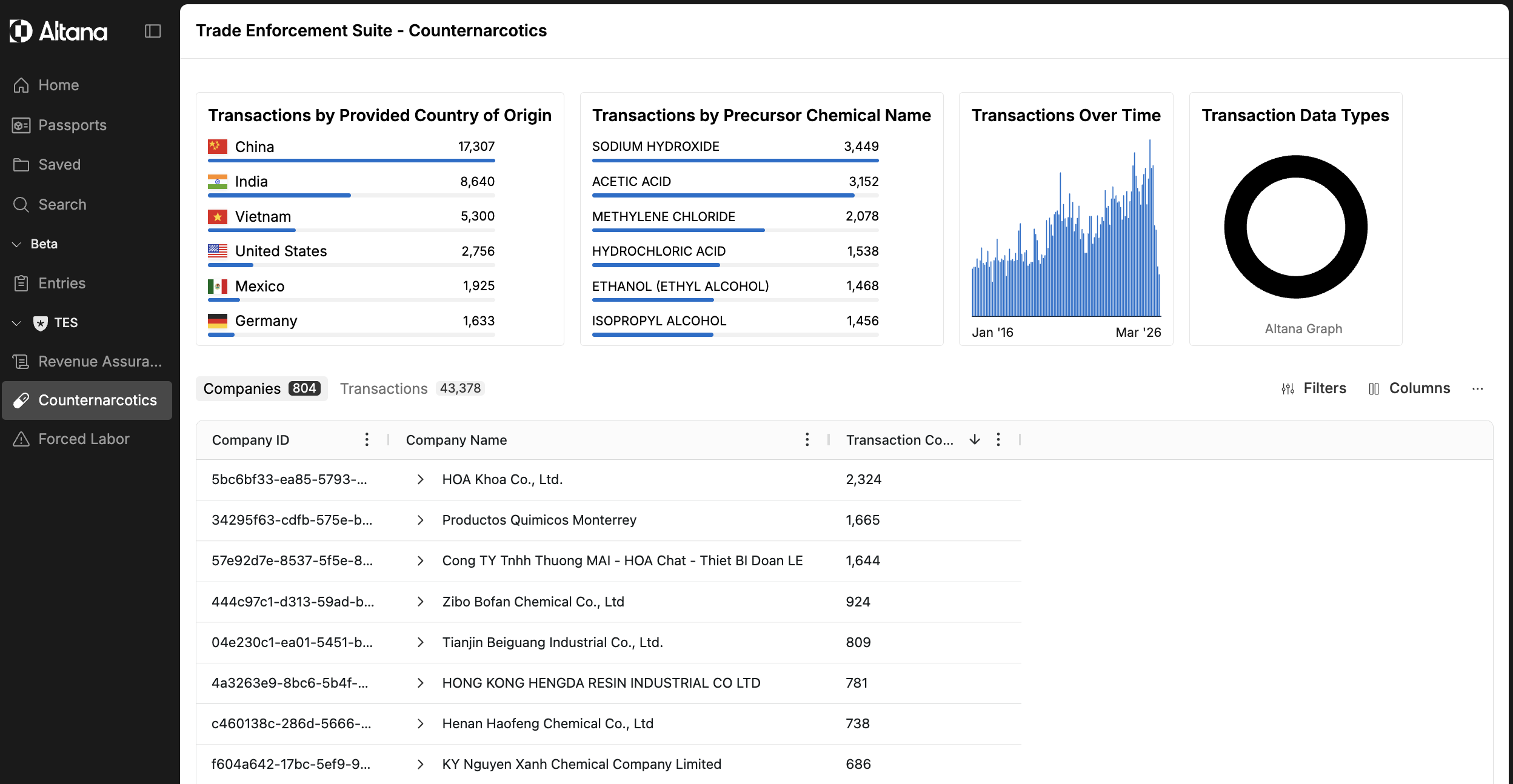
Step 1: Navigate to the workspace
From the left navigation, open the TES section and select the workspace you want to investigate in. In this example, select Counternarcotics. The workspace opens with a summary of flagged companies and transactions, organized by country of origin and precursor chemical activity.
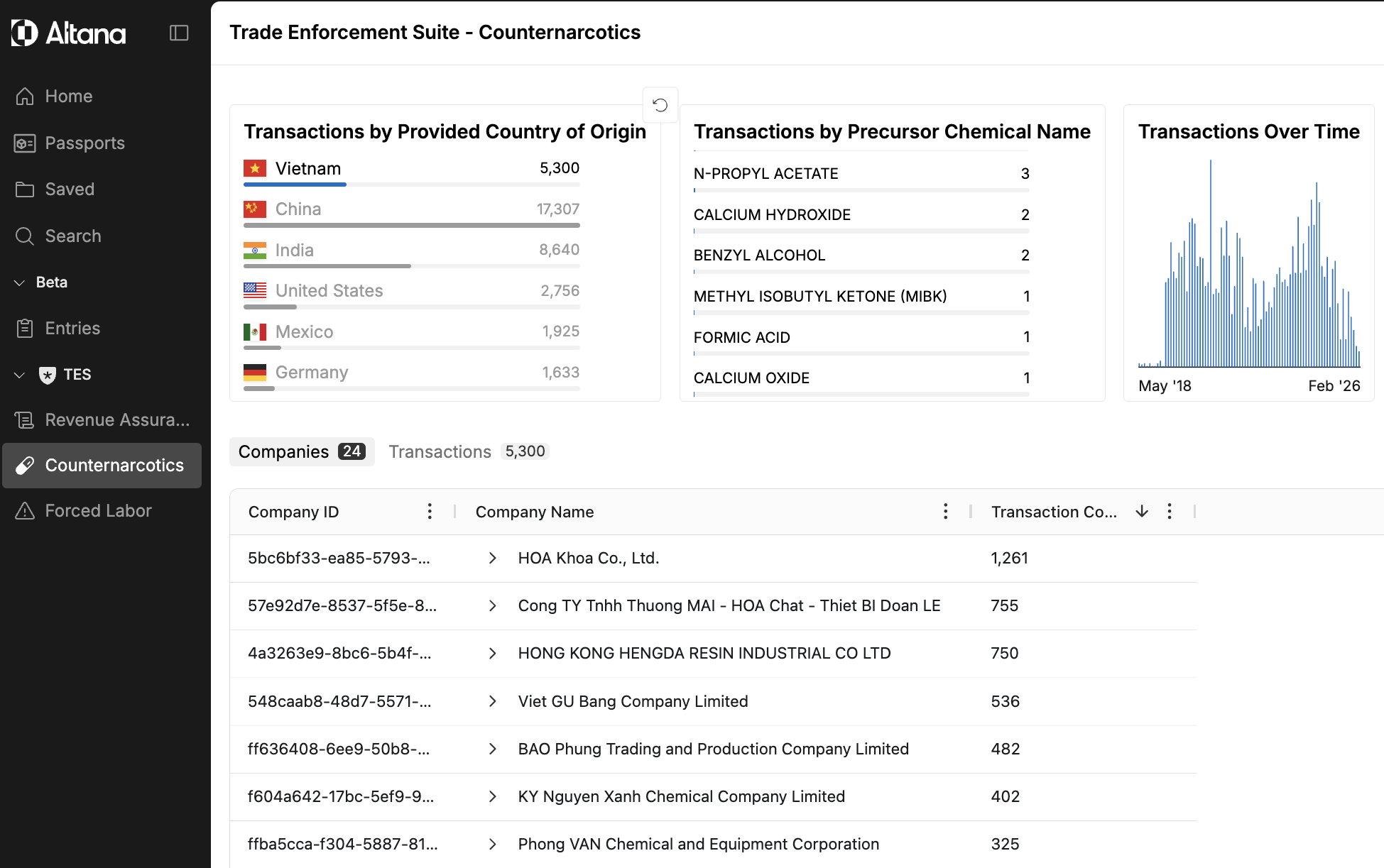
Step 2: Use the Filter Block to narrow the results
Use the Filter Block to reduce the result set to the segment you want to investigate. You can filter by dimensions such as country of origin, precursor chemical type, or date range to focus on the most relevant subset of flagged companies.
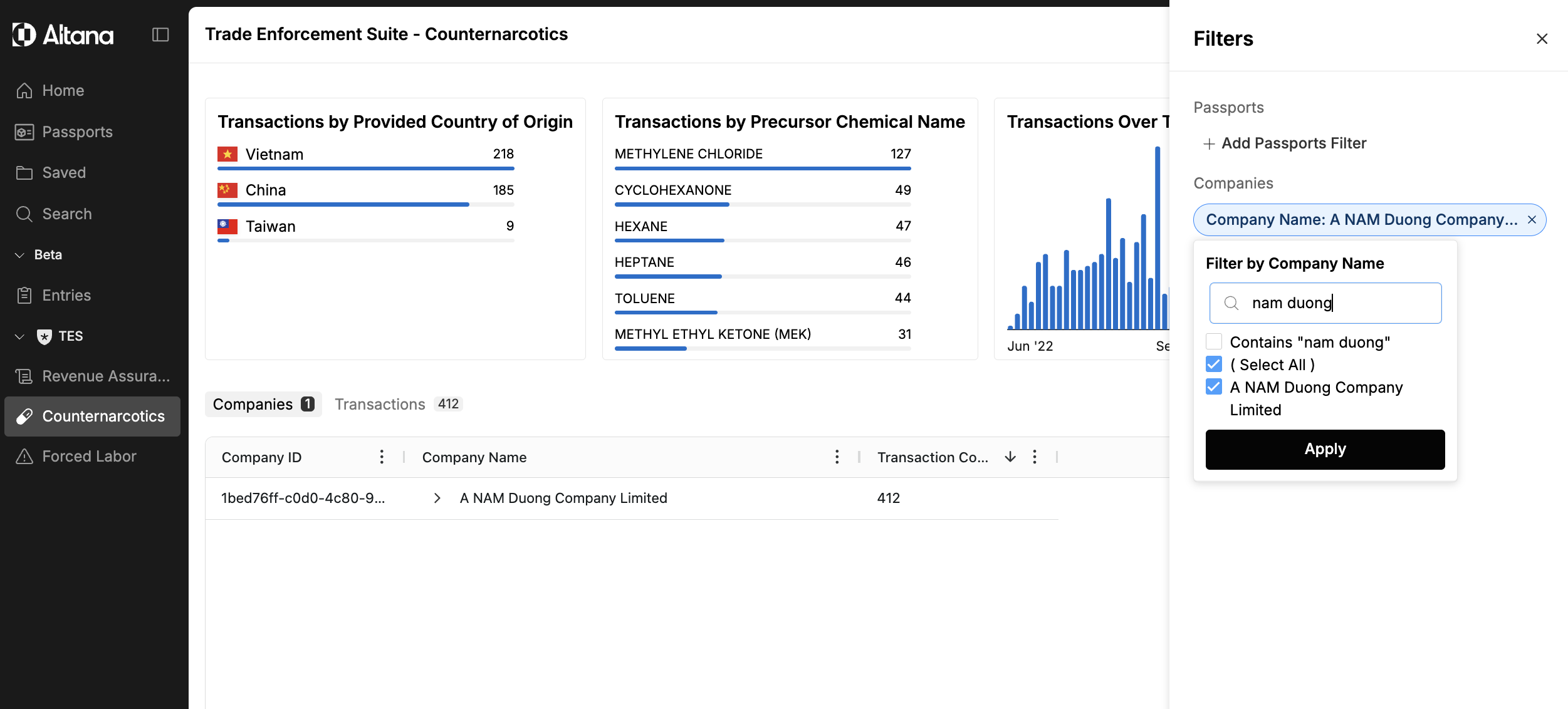
Step 3: Apply additional filters
Use the Filters panel to refine further — for example, filtering to a specific company name or other available attributes. The result set updates to show only the matching entities, making it straightforward to isolate a single company for investigation.
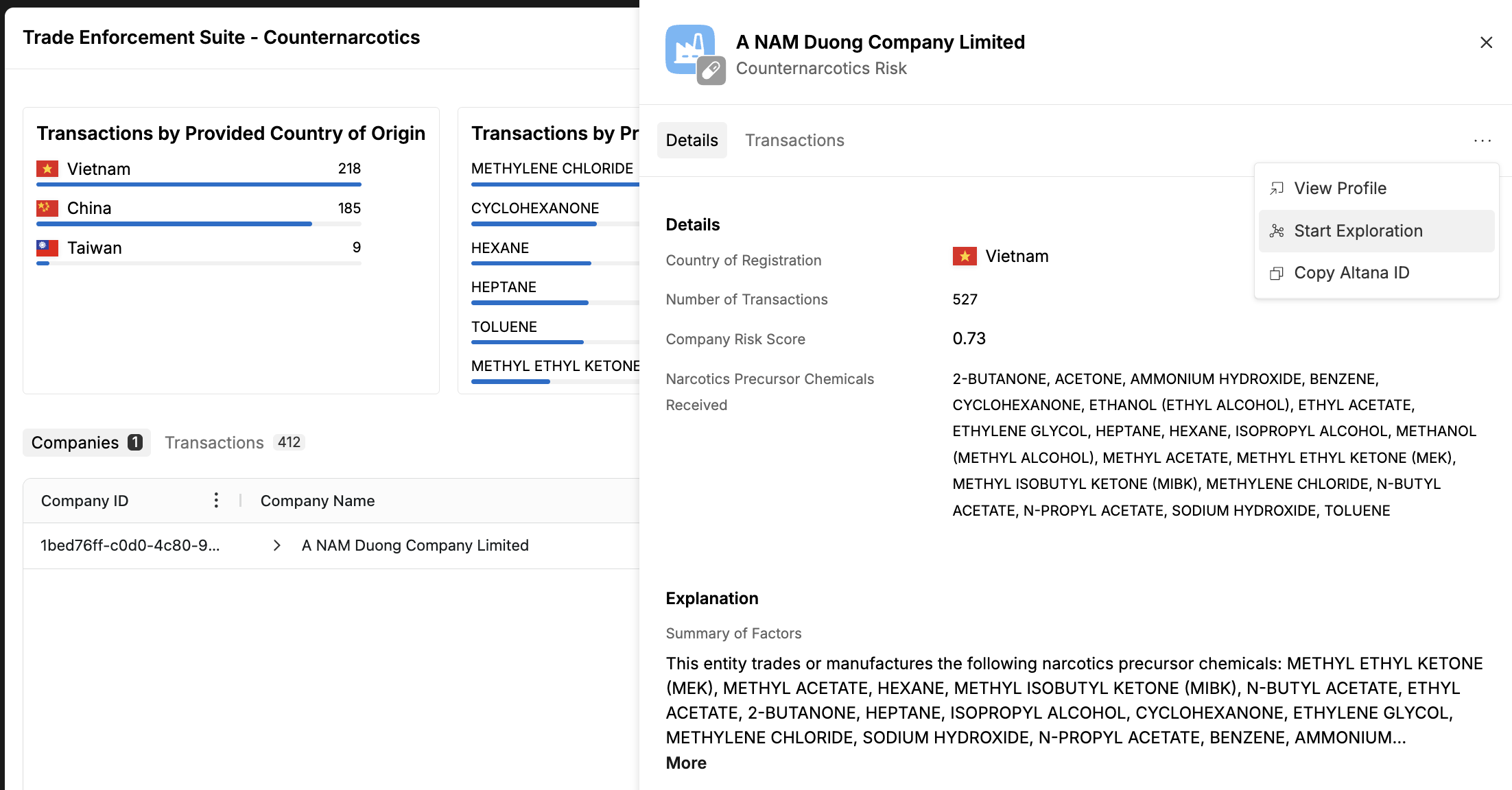
Step 4: Review the model's explanation
Click on a company row to open the sidesheet. The sidesheet explains why the model flagged this entity — including the risk score, the factors that contributed to the flag, and supporting details about the entity's trade activity. This gives you the evidence context before deciding how to continue the investigation.
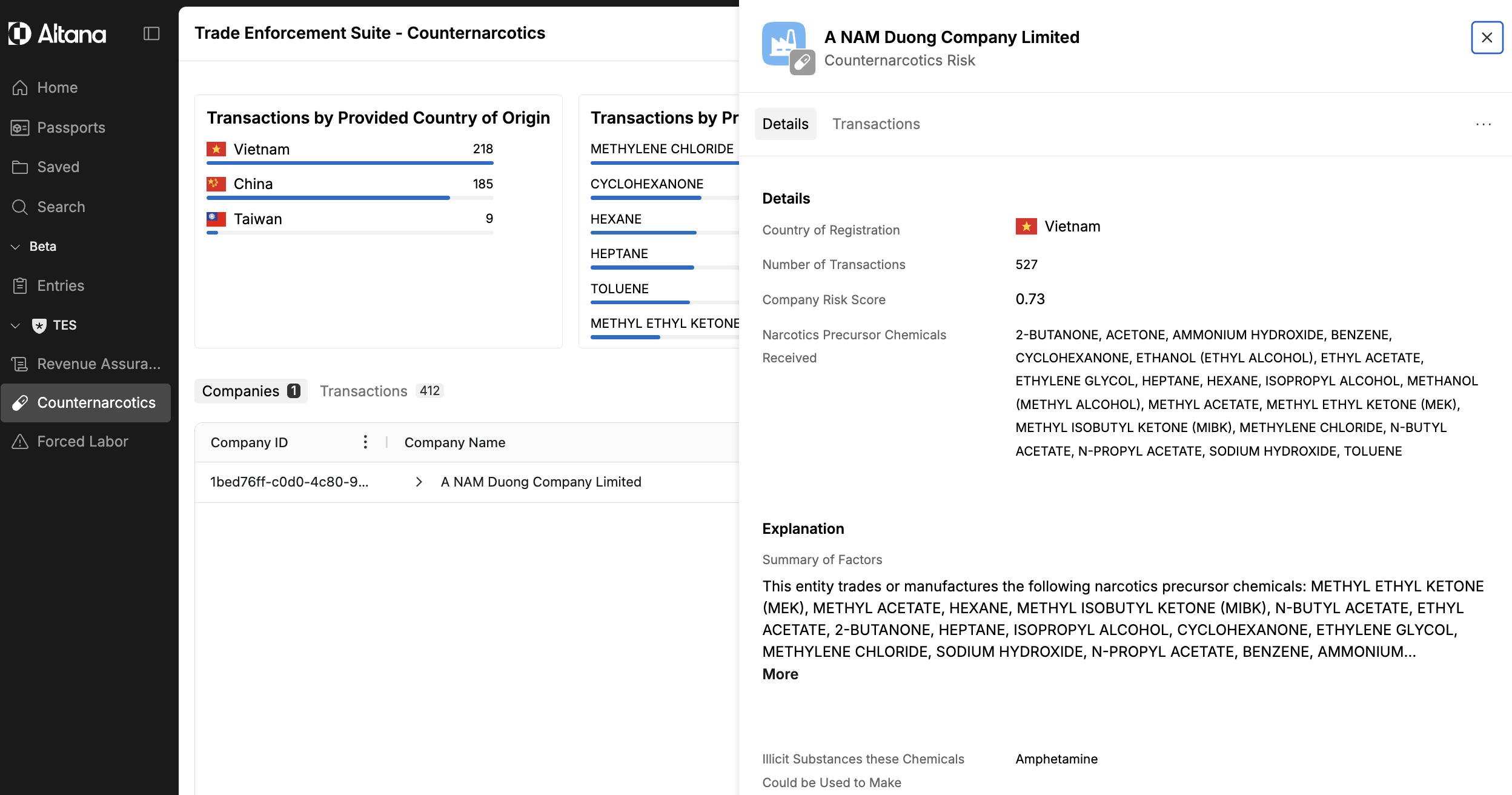
Step 5: Deepen the investigation
From the sidesheet, you have two ways to learn more about the entity.
View the company profile — click View Profile to open the full company profile. The profile brings together everything Altana knows about the entity: ownership structure and beneficial owners, transaction history, associated facilities, financial information, and additional details. Use this path when you want a comprehensive, structured view of the company before deciding next steps.
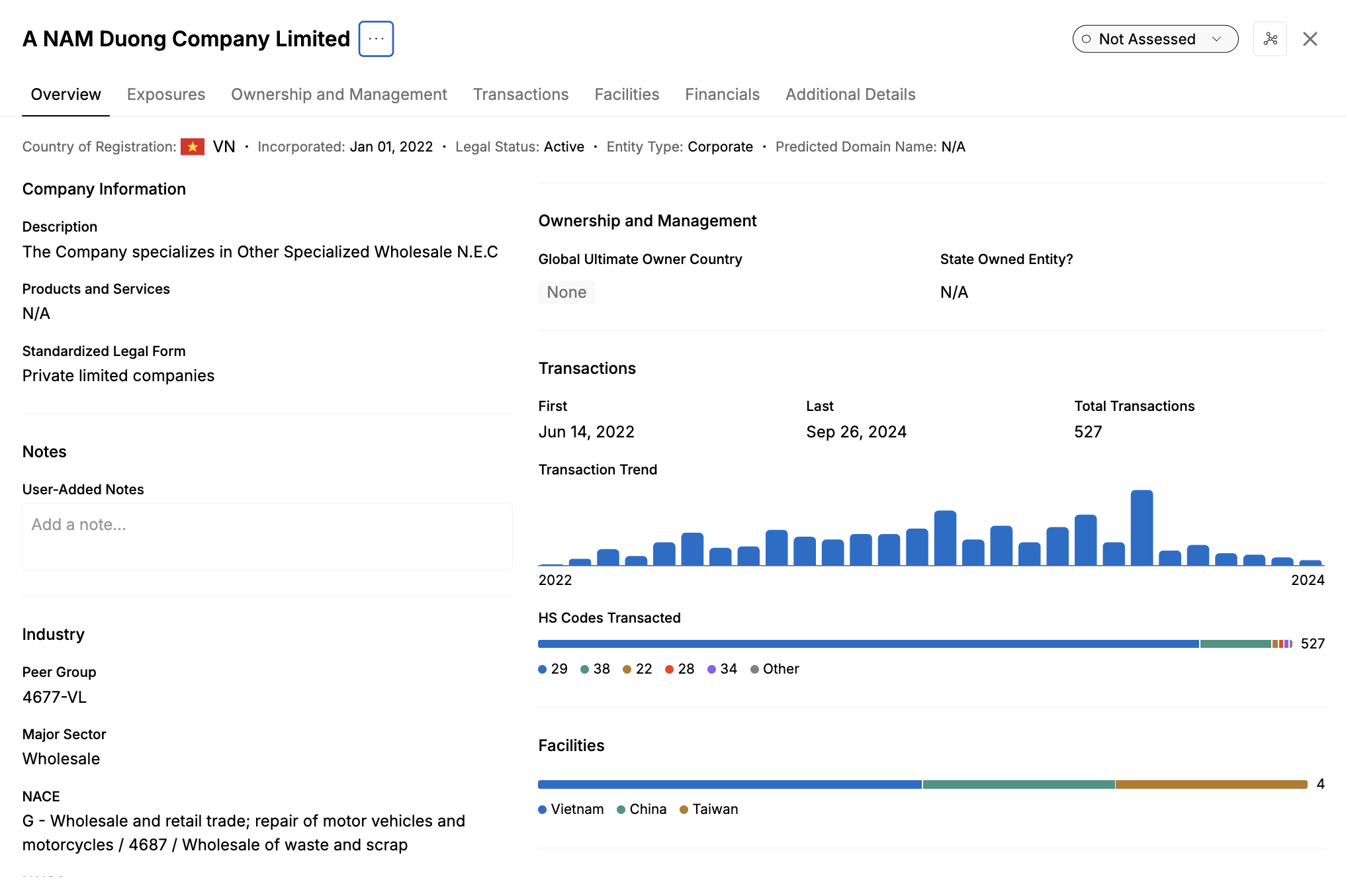
Start an exploration — click Start Exploration to pivot into Search & Explore with this entity as your starting point. From here you can trace the company's multi-tier network — upstream suppliers, downstream buyers, ownership connections, and associated entities — and save the exploration as a persistent investigative asset. The Trade Enforcement Suite gets you to this point with the risk context already assembled and the evidence in hand, so your time in Search & Explore is focused on deepening the investigation rather than building it from scratch.