
Tariffs
The Tariffs area of the Global Trade Control Tower estimates how tariffs affect the cost and margin of your products, and helps you find supported ways to reduce duties. It ties each duty estimate to the parts and sub-tier suppliers that drive it, so supply-chain, procurement, trade-compliance, and finance teams can plan around tariff exposure.
When to use Tariffs
- When you need to estimate the cost impact of current or proposed tariffs on your products before you commit purchases or set prices.
- When you want to know whether a product can qualify for USMCA or for a Section 232 treatment.
- When a direct supplier attributes a price increase to tariffs and you want to check whether the increase is supported by the product's content.
- When finance needs tariff estimates to plan purchasing and report to stakeholders.
Before you start
- The Tariffs component must be enabled for your tenant. Availability depends on how your organization is set up; check with your Altana administrator if you don't see it.
- Your products, their parts and materials, your suppliers, and countries of origin must be uploaded with the supply-chain data template and processed.
- Country-of-origin and material-composition coverage drive accuracy — gaps lower the confidence of an estimate.
How it works
You set a tariff scenario in Scenario Settings, then read its impact from summary cards down to individual products, parts, and suppliers.
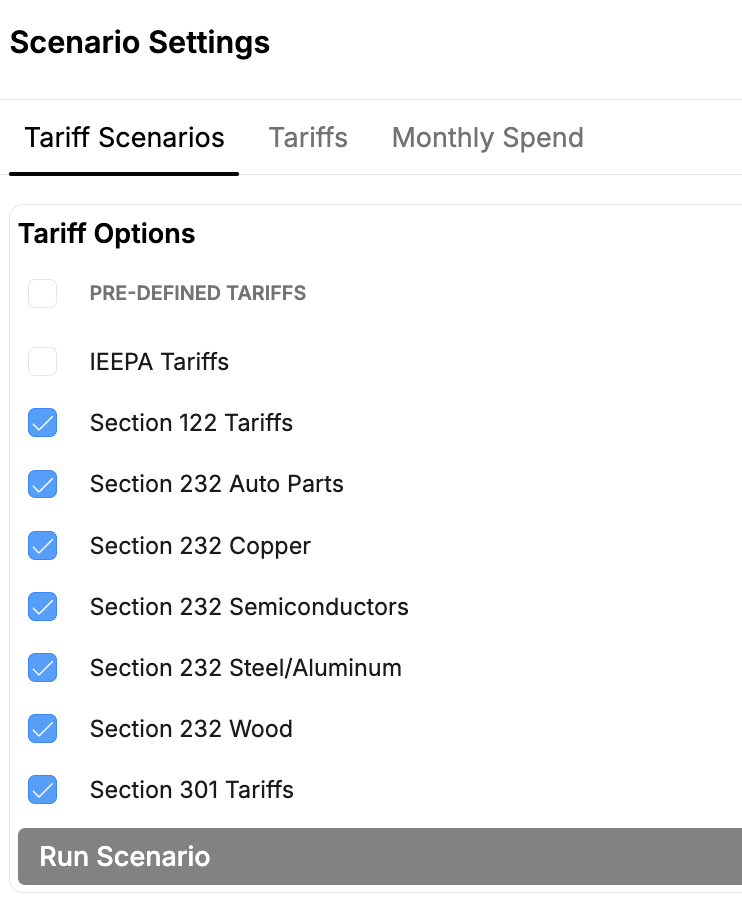
Choose a predefined tariff scenario
In Scenario Settings, turn on the trade programs you want to model — for example IEEPA, Section 122, Section 301, and the Section 232 actions (auto parts, copper, semiconductors, steel and aluminum, wood) — then run the scenario.
Define a custom tariff scenario
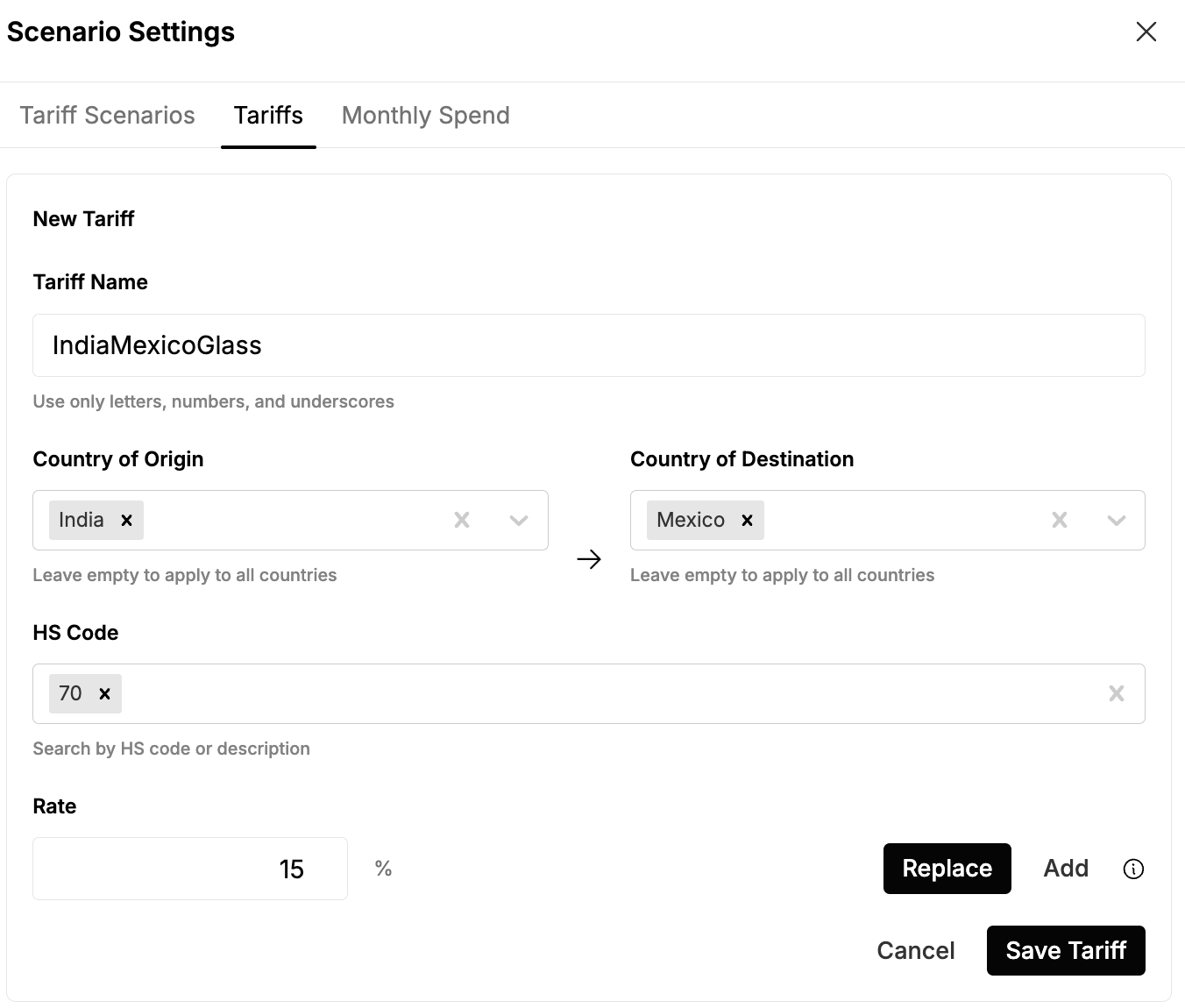
Add your own tariff by naming it and setting a country of origin, country of destination, HS code, and rate — useful for modeling a proposed or hypothetical duty.
See tariff exposure across your products
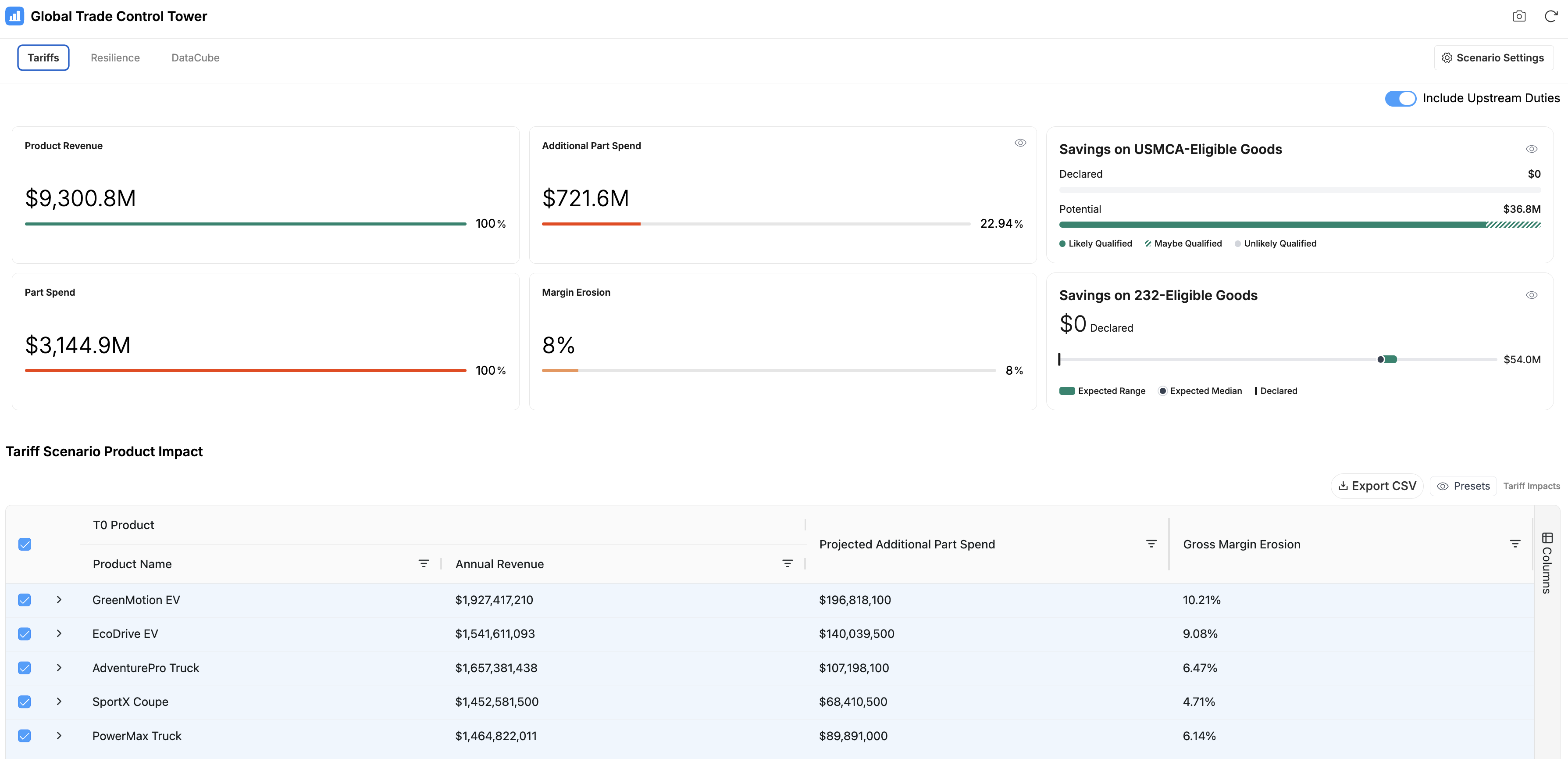
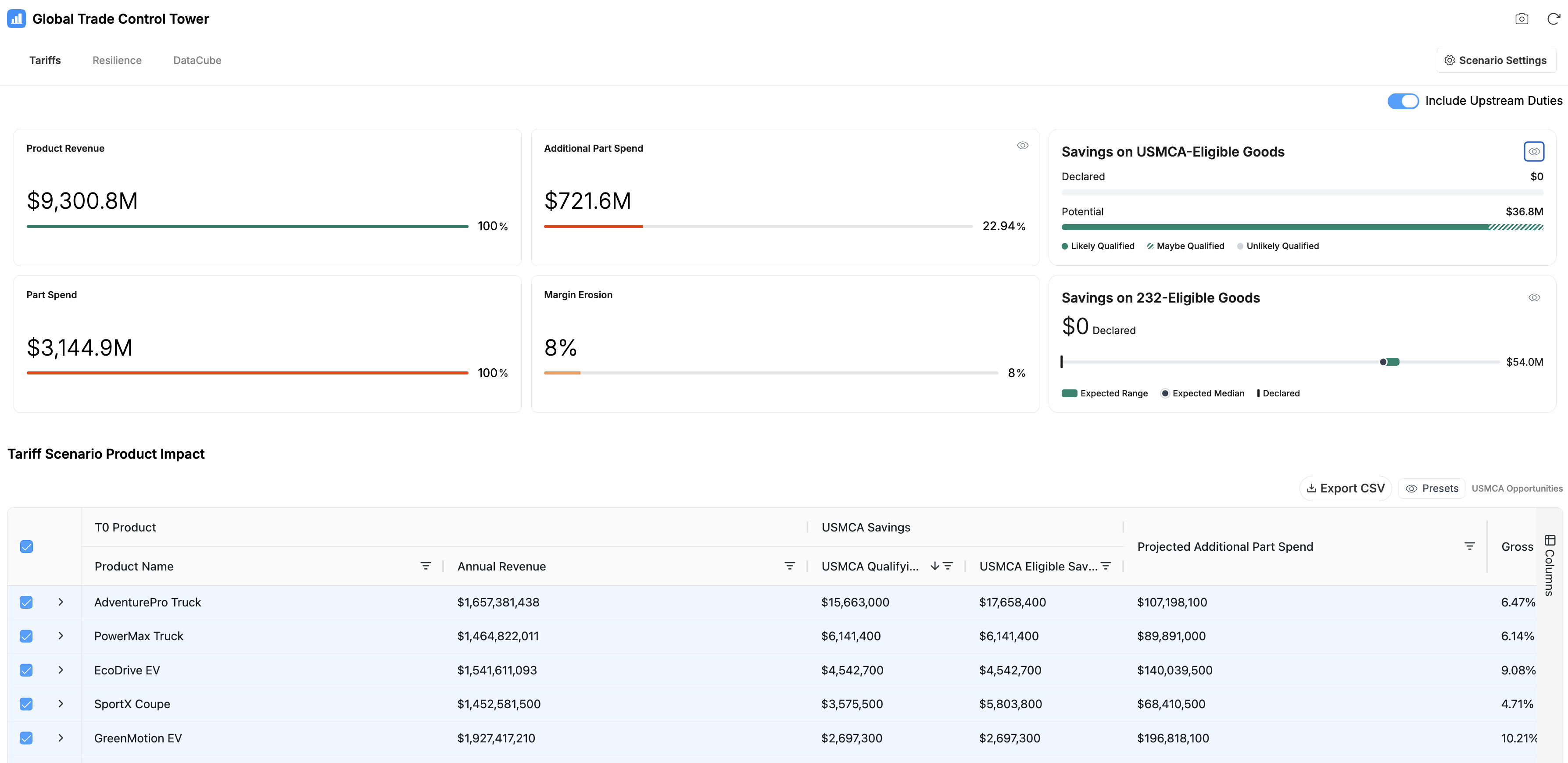
Summary cards show Product Revenue, Part Spend, Additional Part Spend, and Margin Erosion under the scenario, and the Tariff Scenario Product Impact table breaks the impact out by product — annual revenue, projected additional part spend, and gross margin erosion. Leave Include Upstream Duties on (the default) to account for duties incurred deeper in the supply chain, or turn it off to focus on tariffs from your direct suppliers.
Focus on USMCA or Section 232 savings
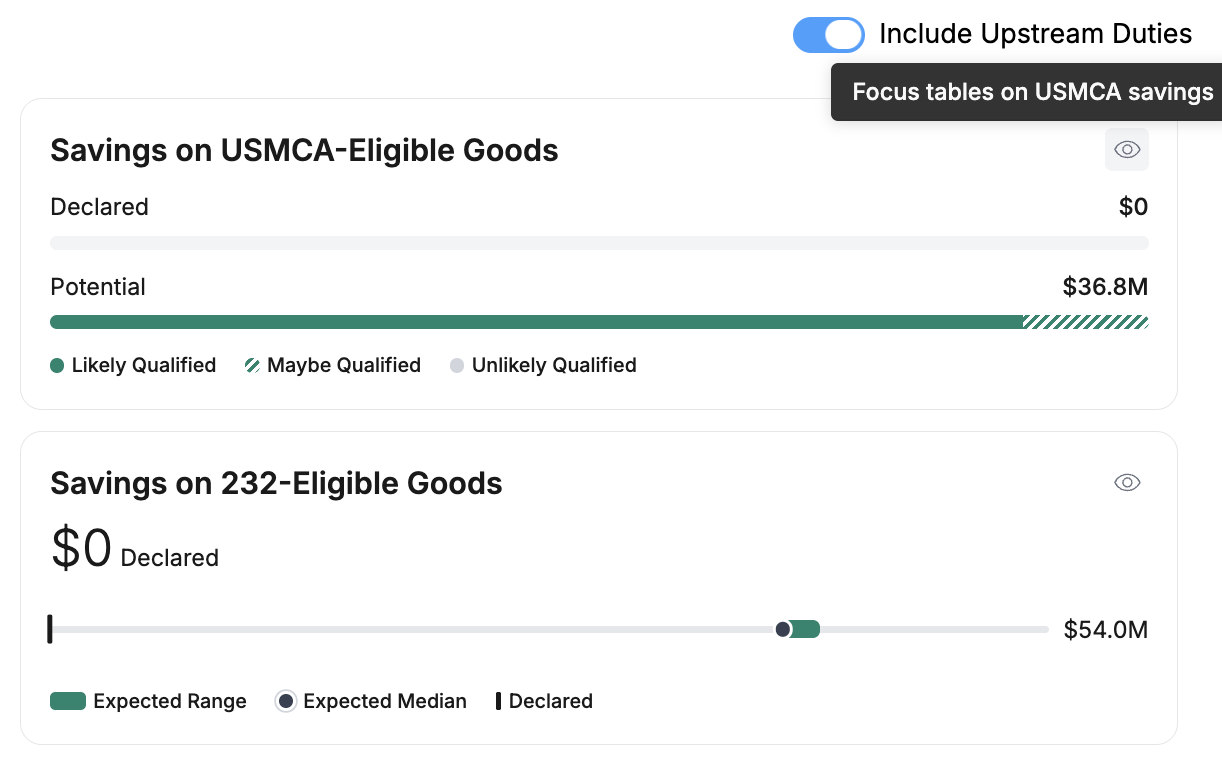
The savings cards estimate the duty you could avoid on USMCA- and Section 232-eligible goods — what's declared today versus the potential — and indicate how likely each product is to qualify.
Identify eligible savings by product or part
Add the USMCA savings columns to the impact table to see, per product, how much is qualifying and the eligible savings available, so you can prioritize the biggest opportunities.
View impacts by part or supplier
Switch between Impact by Part and Impact by Supplier to see which parts or suppliers drive the added spend, with the projected increase for each. Export any view to CSV.

Outputs and interpretation
You get estimated duties and the cost and margin impact they imply, attributable down to individual parts and their sub-tier origins. These are estimates built from your uploaded data and from sub-tier content that Altana infers where your direct records end; their accuracy depends on how completely origin and composition are known. Review the supporting content before you act, and treat the result as planning input rather than a customs filing or a legal determination. Tariff treatment is specific to the destination jurisdiction.
Constraints and caveats
- Estimates support planning; they are not a customs declaration or legal advice.
- Accuracy depends on the completeness of country-of-origin and material-composition data.
- Tariff programs differ by jurisdiction and change over time; results reflect the scenario you model.
Related
- Global Trade Control Tower — how Tariffs fits with Resilience and DataCube.
- Entry Duty Calculator — calculate stacked duties for a specific entry.
- Duties & Tariffs and Free Trade Agreements — the underlying trade mechanics.